
7 Best School Tardy Management Tools for K-12
A student arriving late should not create a line at the front office, interrupt instruction, or leave attendance staff sorting through paper slips at noon. The best school tardy management tools turn a daily discipline and attendance challenge into a fast, documented workflow that gives staff real-time visibility and families timely communication.
For K-12 leaders, the right system does more than print a pass. It confirms who arrived, when they arrived, where they should report, whether they have a pattern of lateness, and what action comes next. That is the difference between collecting tardy data and managing it.
What Makes the Best School Tardy Management Tools Work
A tardy process succeeds when it is faster than the workaround. If students can walk past the office without checking in, if teachers must manually reconcile late arrivals, or if staff cannot quickly identify repeat patterns, the process will not produce reliable records.
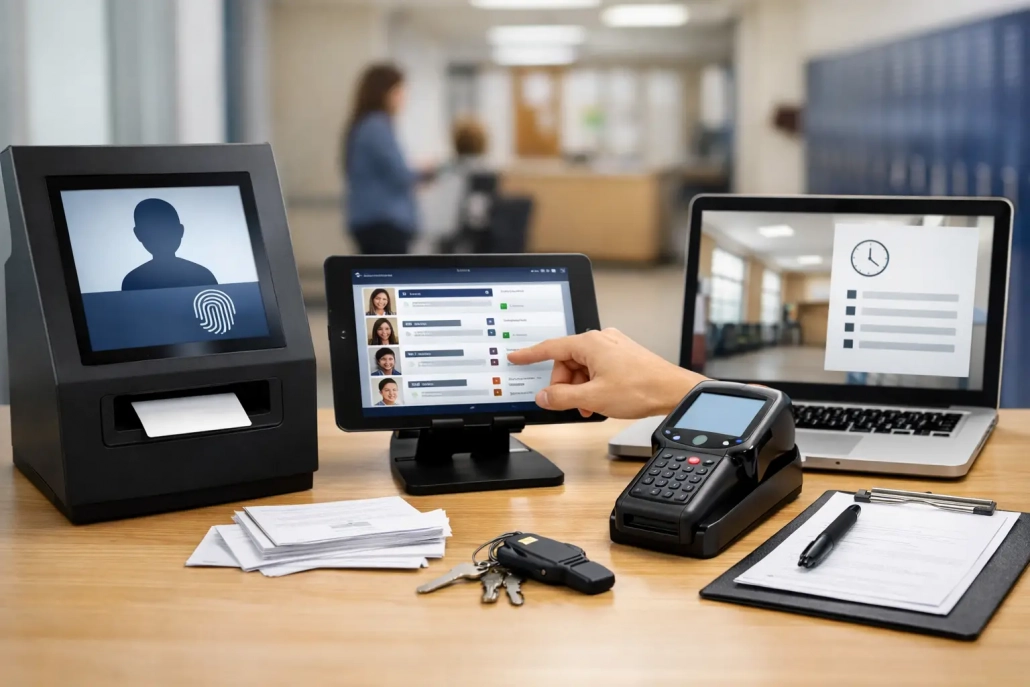
The strongest tools remove friction at the moment of arrival. Students scan an ID badge, barcode, or other approved credential at a kiosk or mobile device. The system records the time, applies the correct tardy code, and can issue a pass or direct the student to the appropriate location. Teachers and administrators see the update without waiting for a stack of slips to reach the attendance office.
That speed matters, but accuracy matters just as much. A school needs rules that reflect its actual attendance policies: different thresholds by grade level, excused versus unexcused codes, arrival windows, bus delays, late-start schedules, and escalating interventions for repeated tardiness. A tool that cannot accommodate those rules can force staff back into manual exceptions.
Real-time attendance updates
The best platforms update the student record as the tardy event occurs. This helps teachers know whether a student is legitimately late, lets attendance teams resolve discrepancies quickly, and gives administrators a current view of who is on campus.
Real-time data also supports safety operations. During an evacuation, medical event, or other urgent situation, leaders need more than a morning attendance snapshot. They need a dependable record of students who entered the building after first period began.
Automated family communication
A tardy event is often a parent communication opportunity. A configurable notification can tell a family that a student checked in late, provide the time of arrival, and reinforce the school’s attendance expectations. For many schools, early communication reduces confusion and prevents a pattern from developing unnoticed.
Automation should be configurable, not indiscriminate. Schools need the ability to suppress notices for approved transportation delays, verified appointments, or other excused circumstances. The goal is useful communication, not a flood of messages that families learn to ignore.
Rules, consequences, and intervention tracking
A printed pass alone does not improve attendance. Schools need a way to identify students approaching a threshold and document the response, whether that is a counselor check-in, lunch detention, a family conference, or another intervention.
Look for a system that can apply school-defined rules consistently while allowing authorized staff to make adjustments. Consistency protects fairness. Flexibility recognizes that student circumstances and building procedures are not always identical.
Seven Tool Capabilities to Evaluate
The best choice is rarely a single feature. It is a connected set of capabilities that fits the way your building receives students, takes classroom attendance, manages discipline, and communicates with families.
- Self-service check-in kiosks. A barcode-based kiosk can move a high volume of late arrivals through the office quickly. This is especially valuable at secondary campuses where large numbers of students may arrive after the bell. Assess screen simplicity, hardware durability, badge-scanning reliability, and whether staff can override a check-in when needed.
- Mobile tardy check-in. Mobile tools give designated staff the ability to check students in at bus drop-off areas, alternate entrances, or temporary locations. They are useful for flexible campuses, but they require clear permissions and device-management practices so the process remains controlled.
- Classroom attendance scanning. When teachers can scan IDs or use a live attendance module, they can confirm late arrivals in class without creating paperwork. This reduces interruptions and gives the attendance office a clearer record of when the student joined instruction.
- SIS integration. Student information system integration is essential for reducing duplicate data entry. The tardy platform should exchange current student rosters, schedules, demographics, attendance codes, and final attendance records according to the district’s workflow. District IT teams should ask how data is validated, how exceptions are handled, and how quickly updates are reflected.
- Tardy passes and destination control. A useful pass confirms the student’s authorization to be in the hallway and can direct them to class, a designated hold area, or an administrator. Some schools require students who exceed a threshold to report somewhere other than class first. The system should support that process without requiring staff to recreate rules every morning.
- Dashboards and intervention reports. Leaders need more than a list of today’s late students. They need trend reports by student, grade, period, teacher, transportation route, and school site. These reports help teams distinguish a broad operational issue, such as a bus delay, from an individual attendance concern that needs support.
- Campus accountability connections. Tardy management becomes more valuable when it connects with arrival tracking, hall passes, visitor monitoring, cafeteria workflows, or safety screening. An all-in-one approach can reduce the number of disconnected systems staff must learn and reconcile. Still, a smaller school with a narrow need may prefer a focused deployment first, provided it can expand later.
How to Match the Tool to Your School’s Operations
Start with the arrival experience, not a feature checklist. Walk through a typical late arrival from the parking lot or bus loop to the classroom. Who sees the student first? Where does the student check in? Who determines whether the tardy is excused? How does the teacher know the student is cleared? Where is the final record stored?
This exercise exposes the practical requirements that matter most. A high school with 2,500 students may need multiple high-speed kiosks, automated passes, and district-level reporting. An elementary school may need a staff-operated front office workflow with stronger parent check-in coordination. A district with several attendance policies may need configuration by campus rather than one rigid rule set.
Implementation should also account for the people doing the work. Attendance clerks need clear exception controls. Deans and assistant principals need intervention views. Teachers need simple, dependable status updates. IT teams need integration documentation, security controls, and responsive support. When each group has to leave its normal workflow to use the system, adoption slows down.
Questions to Ask Before You Buy
A vendor demonstration should show a real tardy scenario, not just a dashboard. Ask the provider to demonstrate a student scanning in late, a staff member changing the code, a family notification being triggered, a teacher seeing the update, and an administrator running a repeat-tardy report.
Also ask how the system handles schedule changes, substitute teachers, late buses, duplicate scans, lost IDs, and internet interruptions. These are not edge cases in a school environment. They are ordinary operational realities.
For districts, clarify the rollout model. Can the platform start at one campus and expand? Can policies be configured locally while reporting remains centralized? What training is available for office staff, teachers, and administrators? A tool may have the right capabilities on paper, but implementation support often determines whether it delivers measurable results.
A More Connected Approach to Tardy Management
Schools get the greatest value when tardy tracking is part of a larger attendance and accountability strategy. A late arrival affects instructional time, attendance compliance, student supervision, family communication, and sometimes campus safety. Those workflows should not live in separate spreadsheets and disconnected applications.
SwipeK12 Solutions supports this connected model with barcode-based attendance capture, real-time student tracking, configurable notifications, classroom tools, and SIS-integrated reporting workflows. The result is a practical path from a student’s scan at arrival to an accurate record, a documented intervention, and clearer campus visibility.
The right tardy management tool should make the next late arrival easier to handle than the last one. When staff can act quickly, students receive consistent expectations, families receive useful information, and leaders have data they can use to improve attendance before small patterns become larger problems.


Leave a Reply
Want to join the discussion?Feel free to contribute!