
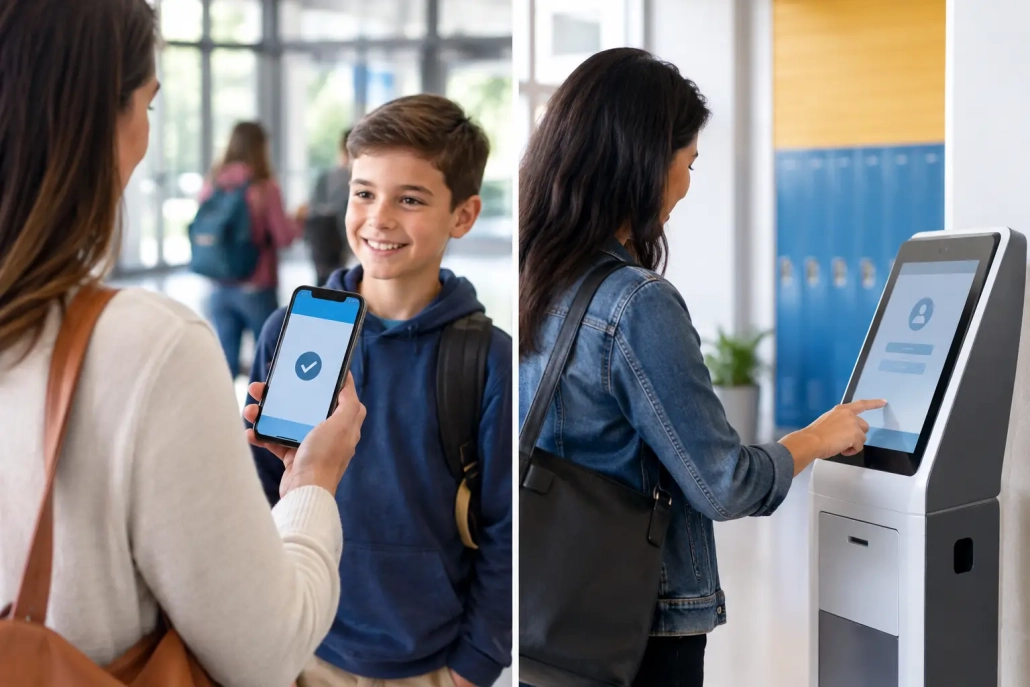
Mobile Check In Versus Kiosks for K-12 Schools
The choice between mobile check in versus kiosks is not simply a technology decision. It affects the first 15 minutes of the school day, the accuracy of attendance records, the visibility of students on campus, and the workload placed on office staff. For many K-12 schools, the best answer is not choosing one method at the expense of the other. It is designing a check-in process that matches how students, staff, and visitors actually move through the building.
A kiosk can create a clear, consistent arrival point. Mobile check-in can move accountability closer to the student, whether that student is entering through a bus loop, arriving late at a side entrance, reporting to an intervention room, or checking into an after-school activity. School leaders need to evaluate both options against operational realities, not just feature lists.
Mobile Check In Versus Kiosks: The Core Difference
Kiosks are fixed check-in stations, usually positioned in a main office, entryway, attendance center, cafeteria, or other controlled campus location. Students scan an ID badge or barcode, select a reason for arrival or departure when required, and generate a time-stamped record. This approach gives staff a defined point of control and can be especially effective for tardy processing, early dismissals, visitor workflows, and high-traffic transitions.
Mobile check-in puts the same accountability capability in the hands of authorized staff through a phone, tablet, or mobile device. A dean can scan students at a tardy sweep. A teacher can capture attendance during a field trip. A campus monitor can document students entering an alternative entrance. Rather than requiring students to travel to a single station, the check-in process can happen where supervision is already taking place.
The operational difference is straightforward: kiosks centralize the process, while mobile tools distribute it. Neither model is automatically better. The right approach depends on campus layout, staffing patterns, student volume, and the degree of control needed at each point in the day.
Where Kiosks Perform Best
A well-placed kiosk is hard to beat when a school needs a visible, standardized process. At the start of the day, a dedicated station can help direct late arrivals through one accountable channel. Students scan in, the system records the time, and staff can apply the appropriate tardy code or consequence workflow without relying on handwritten logs.
Kiosks also create consistency for schools with frequent substitutes, rotating office staff, or large student populations. The process is easy to teach: scan, verify, and proceed. That consistency matters when attendance data must flow accurately into the student information system and when attendance teams need reliable records for compliance, parent communication, or intervention planning.
For visitor management, the fixed-station model is often the stronger choice. Visitors should enter through designated locations where identification, approvals, badges, and campus procedures can be managed in one place. A kiosk supports that controlled entry model and gives office staff a predictable point for screening and documentation.
There is a practical staffing benefit as well. A kiosk can reduce repetitive data entry during rush periods. Instead of manually recording every late student, staff can focus on exceptions: a student without an ID, a disputed arrival time, an attendance correction, or a family member needing assistance.
Still, kiosks have limits. A fixed device can become a bottleneck if hundreds of students need access at the same time. It can also create gaps when students enter through locations that are not near the station. If the only check-in point is in the main office, a student who arrives through a side door may not be documented promptly unless staff are actively directing traffic.
Where Mobile Check-In Delivers More Value
Mobile check-in is built for the reality that school days do not occur at one desk. Students move between classrooms, portable buildings, athletics, counseling offices, testing rooms, intervention spaces, cafeterias, and extracurricular activities. Staff responsible for supervision need tools that can keep up.
For example, an assistant principal conducting a hallway sweep can scan student IDs and immediately document who was out of class, where they were expected to be, and whether a pass was issued. A teacher supervising a club can check participants in without collecting paper sign-in sheets. A staff member receiving students at a secondary entrance can capture late arrivals before those students blend into the normal flow of the building.
This real-time visibility supports more than attendance accuracy. It gives administrators better information for safety response, student accountability, and family communication. If a student is checked into a supervised program or activity, staff have a documented record of where that student was and when.
Mobile workflows are especially valuable for campuses with multiple buildings, open layouts, staggered schedules, or high volumes of student movement. They can also help districts avoid purchasing and maintaining a large number of dedicated stations for every use case.
The trade-off is governance. A mobile solution requires clear rules about who can check students in or out, what devices are approved, and which workflows require staff review. Schools should not treat mobility as a reason to loosen accountability. The strongest deployments use role-based permissions, time-stamped records, and reporting that gives administrators a complete audit trail.
What Matters More Than the Device
The real question is not whether a student scans at a kiosk or an administrator scans from a phone. The question is whether the check-in record is accurate, timely, and useful to the people responsible for the student.
Start with the highest-friction moments in your current process. If late arrivals are creating long office lines and incomplete records, a kiosk near the entrance may produce immediate results. If students are entering through multiple doors or being redirected to different programs during the day, mobile check-in may solve the larger problem.
Integration should also drive the decision. A check-in record that sits outside the school’s attendance and student information workflows creates more work later. The most effective systems connect attendance capture, tardy management, notifications, discipline documentation, and reporting so that staff are not reconciling several disconnected tools at the end of the day.
Schools should also consider accessibility and student behavior. Younger students may need staff-supported scanning. High school students may move quickly through multiple campus locations and benefit from faster, distributed checkpoints. A process that is technically capable but confusing for students or staff will not deliver reliable data.
Why a Hybrid Model Often Wins
For many schools, mobile check in versus kiosks is a false either-or decision. A hybrid model allows each tool to do the work it does best.
A high school might use a kiosk at the main entrance for late arrivals and early checkouts while giving deans mobile scanning tools for hallway sweeps, lunch transitions, and after-school events. An elementary school may use fixed stations for visitor and parent check-in while allowing staff to use mobile devices for field trips, nurse visits, and student support programs.
This model also provides operational resilience. If a particular entrance is unexpectedly closed, if a large event changes arrival patterns, or if staff need to set up a temporary check-in point, mobile capability gives the school flexibility. At the same time, kiosks preserve a stable, visible process for the situations that require centralized oversight.
SwipeK12 Solutions supports this kind of all-in-one approach by connecting barcode-based attendance capture, mobile workflows, campus accountability, and real-time reporting. The goal is not to force every school into one procedure. It is to give teams the tools to document movement accurately while maintaining the routines that make their campus work.
How to Make the Right Deployment Decision
Before selecting equipment or expanding a current system, walk the campus during arrival, lunch, dismissal, and passing periods. Watch where students actually enter, where lines form, and where staff lose visibility. The answers are usually visible in the daily routine.
Then define the outcome that matters most. Some schools need to reduce late-arrival processing time. Others need stronger control over visitors, better documentation of student movement, or faster attendance capture during nontraditional programs. A clear operational goal will tell you whether to prioritize fixed stations, mobile tools, or both.
Finally, pilot the process with the staff who will use it every day. Attendance clerks, deans, teachers, front-office teams, and campus safety personnel will quickly identify whether scanning steps are practical in a live school environment. Their feedback can prevent a well-intended deployment from becoming another workaround.
The best check-in process is the one staff can run consistently during the busiest moments of the day. Build around real campus movement, keep records connected to the systems your team already uses, and give staff the right tool at the point where accountability is needed.


Leave a Reply
Want to join the discussion?Feel free to contribute!