
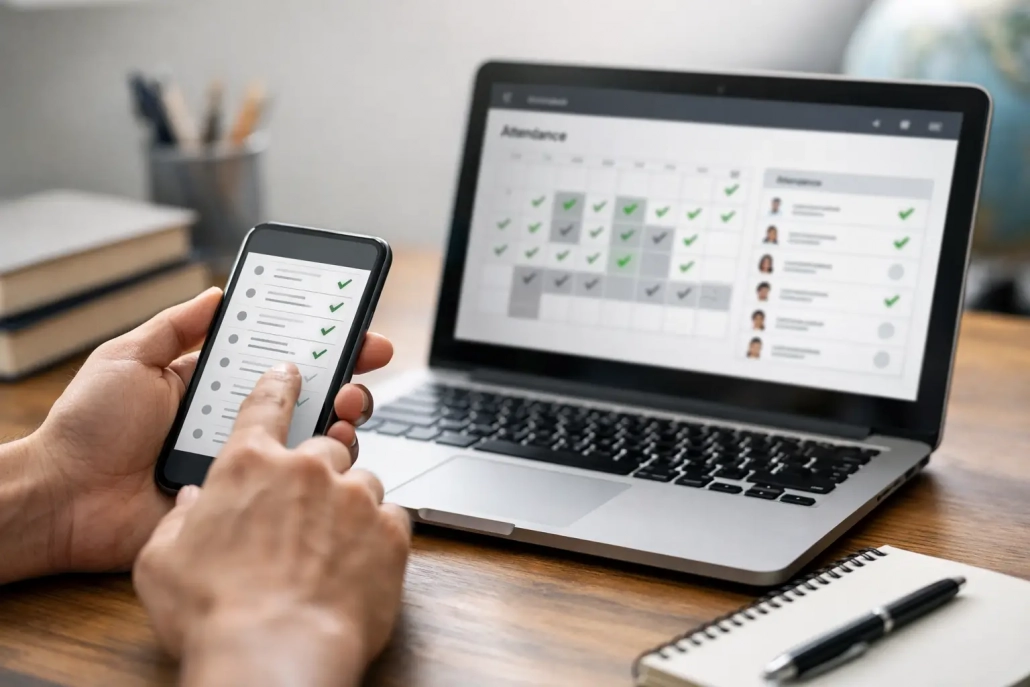
How to Check My School Attendance
If you are asking how to check my school attendance, the real question is usually bigger than a login screen. You need a reliable way to confirm whether attendance data is current, accurate, and easy for the right people to access. For schools and districts, that means balancing parent visibility, staff efficiency, compliance requirements, and student accountability without creating another manual process to manage.
Attendance is no longer just a morning roll call. It affects funding, intervention, safety, parent communication, and daily campus operations. When a family, teacher, dean, or attendance clerk wants to check a student’s attendance, the answer depends on how the school captures data and where that information lives after it is recorded.
How to check my school attendance in a K-12 setting
In most K-12 schools, attendance can be checked in one of three places: a parent or student portal, the student information system, or the attendance office. The fastest option is usually a portal connected to the school’s SIS, where families and authorized staff can view daily attendance, period attendance, tardies, and sometimes dismissal or check-in records.
If your school uses a modern attendance platform, those records may also include real-time scans from classrooms, tardy kiosks, front office check-ins, or mobile devices used by staff. That matters because a student may be marked present in homeroom but absent later in the day, or vice versa. A single attendance snapshot is helpful, but a full campus record is stronger.
For school leaders, the key operational question is not just whether someone can check attendance. It is whether the record they see reflects what actually happened on campus.
Start with the family or student portal
For parents and students, the portal is usually the first place to look. Most districts provide credentials at enrollment or at the start of the school year. Once logged in, families can typically see absences, tardies, class-period attendance, and in some cases notifications or intervention notes.
If the record seems incomplete, there are a few common reasons. The teacher may not have submitted attendance yet. A front office correction may still be pending. An excused absence note may have been received but not processed. In schools with multiple systems, the attendance event may exist in one tool but not yet be posted to the SIS-facing view.
That delay is one reason schools increasingly prefer integrated workflows. When attendance capture, updates, and reporting happen in real time, families get clearer information and staff spend less time answering avoidable calls.
Check the SIS if you are staff or an administrator
For staff, the student information system is often the source of record. Attendance clerks, assistant principals, registrars, and district teams use it to verify official absences, run reports, resolve discrepancies, and document changes.
When checking attendance in the SIS, look beyond the daily present-or-absent mark. Review period-level entries, tardy codes, excuse status, and timestamps. If your district uses custom attendance codes, make sure everyone understands the difference between an unexcused absence, a school activity, a medical excuse, and a transportation-related tardy. Those distinctions affect reporting and intervention.
The trade-off is that the SIS is only as timely as the data flowing into it. In a manual environment, attendance staff may still be waiting on teacher submissions, paper notes, or front office corrections. In a more automated environment, barcode scans, mobile check-ins, classroom attendance scanning, and integrated reporting can shorten that lag considerably.
Why attendance records sometimes do not match
One of the most common frustrations behind the question how to check my school attendance is that different people see different answers. A parent may get an absence alert even though the student arrived late. A teacher may mark a student absent in first period, while the office logs them present after a tardy check-in. A district report may show one total while the building team sees another.
These mismatches usually come from process gaps, not bad intent. Schools often run multiple attendance touchpoints at once: classroom roll, front office sign-in, nurse visits, early dismissals, activity releases, and discipline-related movement. If those events are not connected, staff have to reconcile them manually.
That creates two risks. First, inaccurate attendance affects reporting, funding, and parent trust. Second, incomplete attendance can weaken campus accountability. A school cannot act quickly if it does not know who is in class, who arrived late, or who left campus.
Build a clear verification path
A strong attendance process gives staff a defined order for checking records. Start with the official SIS entry. Then confirm the supporting event, such as a classroom scan, tardy kiosk transaction, front office check-in, or dismissal log. If there is still a conflict, route it to the designated attendance authority for correction.
This matters most in larger schools and districts where multiple departments touch the same student record. Without a verification path, staff lose time chasing conflicting information and families lose confidence in the system.
What schools should provide when families ask for attendance records
Families generally want a simple answer: Was my child at school, late, or absent? Schools should be able to provide that quickly, along with the date, class period if relevant, and current excuse status. If the family believes the record is wrong, there should also be a clear correction process.
The best practice is to make routine attendance visible through secure self-service while reserving office support for exceptions. That reduces call volume, improves transparency, and lets attendance teams focus on actual discrepancies instead of reading basic records over the phone all day.
It also helps to communicate timing. For example, schools may tell families that teacher-posted attendance appears by a certain hour, office corrections post later in the day, and official absence coding is finalized after documentation is reviewed. Clear expectations prevent confusion.
How to improve school attendance visibility
If families and staff frequently ask how to check my school attendance, that usually signals a visibility problem rather than a training problem. People ask the question repeatedly when access is limited, updates are delayed, or the data is hard to trust.
Improving visibility starts with capture. Schools that rely on paper passes, handwritten sign-in sheets, or delayed teacher entry often struggle to maintain a dependable attendance picture. Schools that use digital tools for check-in, tardy management, classroom attendance, and movement tracking tend to see faster updates and fewer disputes.
The next step is integration. A strong attendance workflow should feed the SIS, support parent communication, and give administrators a real-time view of who is on campus. That is where an all-in-one approach can outperform disconnected point tools. When attendance, student movement, notifications, and accountability workflows work together, schools reduce friction and respond faster.
SwipeK12 Solutions is built around that operational reality. The goal is not just to collect attendance. It is to make attendance data usable, immediate, and actionable across the school day.
Consider the needs of different users
A parent needs a simple status view and timely alerts. A teacher needs fast classroom capture. An attendance clerk needs exception handling and reporting. A principal needs building-wide visibility. A district office needs compliance-ready data across campuses.
That is why the best attendance systems do not offer one generic screen for everyone. They support role-based access and workflows that match real school operations. What works in a small private school may not be enough for a large urban district with multiple campuses and high daily transaction volume.
Common issues when checking attendance
Passwords and permissions are the obvious problems, but they are not the only ones. Schools also run into delayed syncs, inconsistent coding, duplicate entries, and unclear ownership for corrections. In some buildings, office staff can update records but teachers cannot see those changes immediately. In others, the family portal refreshes on a schedule rather than in real time.
None of those issues are unsolvable, but they do require operational discipline. Schools need standard codes, defined correction windows, trained users, and systems that are easy enough to use consistently under real bell-to-bell pressure.
A best-in-class attendance process feels simple to the user because the complexity has been handled in the setup, not pushed downstream to staff and families.
What a reliable attendance workflow looks like
At a minimum, schools should be able to capture attendance quickly, verify exceptions, update records without delay, notify families, and report accurately. Stronger systems go further by tracking tardies, hallway movement, check-ins, dismissals, and other student accountability events in one environment.
That broader visibility is especially valuable for intervention. Chronic absenteeism rarely appears all at once. It often starts with patterns like repeated first-period tardies, frequent partial-day absences, or unverified check-ins. When schools can see those patterns early, they can intervene sooner and with better context.
Checking attendance should not be a scavenger hunt. It should be a straightforward, secure process backed by real-time data and clear ownership. When schools get that right, they improve more than compliance. They strengthen family communication, reduce front office workload, and give staff a more accurate picture of student presence throughout the day.
The most helpful next step is to ask a practical question: when someone checks a student’s attendance in your school, do they see the full story or just part of it?


Leave a Reply
Want to join the discussion?Feel free to contribute!