
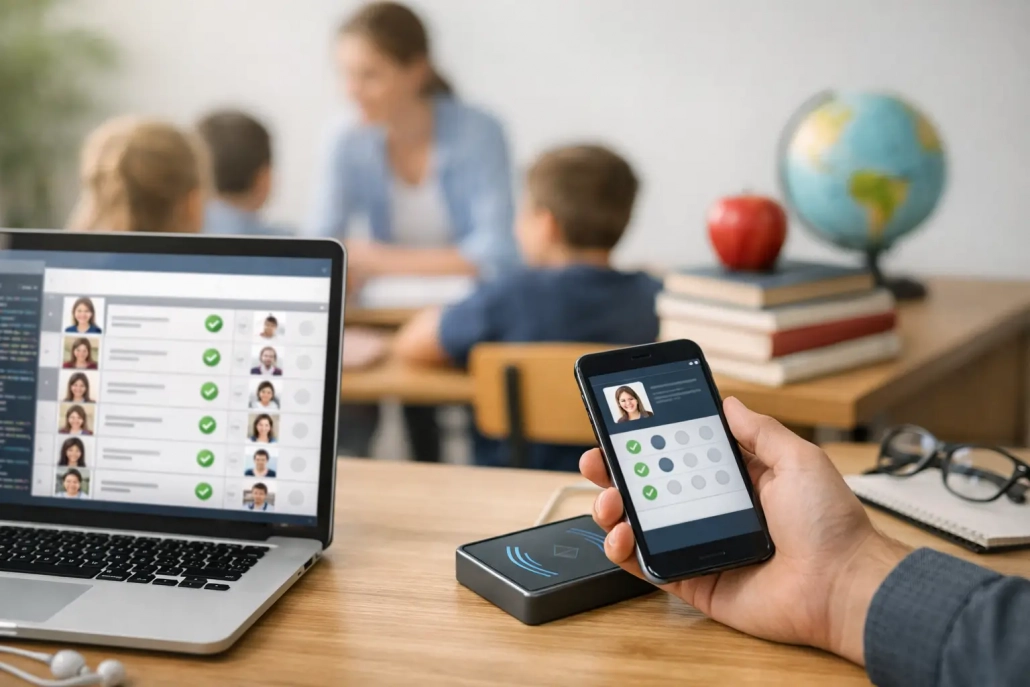
How to Make Attendance Software for Schools
A school does not need another app that simply marks students present or absent. It needs a system that tells staff who is on campus, who is late, who left class, and what needs attention right now. That is the real starting point when deciding how to make attendance software for schools.
In K-12, attendance is not just a classroom task. It affects funding, parent communication, student safety, compliance, intervention workflows, and front-office efficiency. If you build attendance software without that operational reality in mind, the product may work in a test environment and still fail in a live school day.
How to make attendance software that schools will actually use
The first design decision is not technical. It is operational. You need to define exactly which attendance events your software will capture and who is responsible for each one. A district may need daily ADA reporting, period attendance, tardy processing, nurse returns, early dismissals, hall traffic visibility, and parent notifications. A single private school may care more about fast morning check-in and simple reporting.
That is why good attendance software starts with workflows, not screens. Map the school day first. Document arrival, homeroom, first period, class transitions, lunch, early checkout, and dismissal. Then identify who touches attendance at each step – teachers, front office staff, deans, security teams, attendance clerks, and district administrators.
Once that is clear, the product architecture becomes more obvious. You are not building one attendance button. You are building a system of record that supports multiple users, multiple scan points, and multiple exception paths.
Start with the core attendance data model
At minimum, your software needs to track student identity, enrollment status, location, class assignment, schedule, attendance code, time stamp, user action, and audit history. Schools also need flexibility in attendance coding because one building may use simple present and absent logic while another needs excused tardy, unexcused tardy, clinic return, suspension, remote participation, and more.
This is where many products get too rigid. If the platform cannot adapt to local attendance policies, staff will end up working around it with paper, spreadsheets, or manual SIS edits. That defeats the point.
Your data model should support district-wide standards while allowing school-level rule configuration. That balance matters. Too much customization creates reporting chaos. Too little creates adoption problems.
Build for multiple capture methods
A practical school solution rarely relies on one method of attendance entry. Teachers may need a simple classroom roster view. Front-office teams may prefer barcode or ID scanning for tardy and check-in workflows. Mobile staff may need tablet or phone-based check-ins at events, arrival lines, or alternate campuses.
If you are serious about how to make attendance software that improves operations, build for three realities at once: manual entry, scan-based capture, and mobile access. Schools vary by staffing, budget, and infrastructure. The best systems meet them where they are and still give them a path to more automation over time.
Barcode and badge workflows are especially effective for speed and accuracy. A student scans once, the software records the event, applies the correct code, and routes the data to the right dashboard. That cuts down on line congestion and reduces office interruptions, especially during high-volume morning arrival periods.
The features that matter most in K-12 attendance software
Schools do not buy features for their own sake. They buy fewer bottlenecks, better accountability, and faster response when something is off. The most valuable capabilities are the ones that reduce friction during a busy school day.
Real-time attendance posting is essential. Delayed syncing creates confusion for teachers, office staff, and parents. If a student checks in late, that change should be visible immediately.
SIS integration is just as important. Attendance software should not become a second system that staff must reconcile by hand. It should exchange schedules, rosters, demographic records, attendance codes, and reporting data with the district’s existing student information system. For many districts, this is the line between a useful pilot and a scalable deployment.
Notification workflows also deserve attention. Schools often need automatic parent communication for absences, tardies, or check-ins. That communication should be configurable by event type, time of day, and escalation rule. Some schools want immediate text alerts. Others prefer end-of-day summaries or clerk review before contact goes out.
Exception handling matters more than most product teams expect. Students arrive without ID cards. A substitute teacher takes attendance differently. A student checks into the nurse and returns late to class. Your software needs controlled ways to manage these edge cases without weakening the audit trail.
Reporting cannot be an afterthought
School leaders need more than a present or absent count. They need building trends, period-by-period attendance, chronic absenteeism indicators, tardy hotspots, intervention lists, and exportable records for compliance review.
District leaders also need consistency across campuses. If each school records attendance differently, district reporting becomes unreliable fast. Strong attendance software standardizes data collection while still giving campuses enough flexibility to match local operations.
The most effective reporting tools surface problems early. If ninth-grade first period tardies spike on Tuesdays, leadership should see that pattern. If one subgroup is trending toward chronic absence, intervention teams should know before the quarter ends.
Security, permissions, and compliance come first
Attendance data is student data, which means privacy and access control are not optional. Your software should use role-based permissions so users only see and edit what they are authorized to handle. A classroom teacher does not need district-wide access. A campus monitor may need check-in visibility without broader academic records.
Every change should be logged. Audit trails protect schools during parent disputes, compliance reviews, and disciplinary questions. If an attendance code was changed, the system should show who changed it, when it changed, and what the previous value was.
You also need to think about device security, session timeouts, secure authentication, and data retention rules. For districts, procurement teams will ask these questions early. If the platform is weak here, implementation may stall regardless of how good the user interface looks.
How to make attendance software scalable across a district
A product that works in one building may break down across twenty or two hundred. District-scale attendance software must support centralized administration, school-specific settings, and consistent reporting structures.
That means your architecture should handle large roster imports, high-volume concurrency during morning arrival, and multiple campuses with different bell schedules and attendance rules. It should also support phased rollouts. Many districts start with one workflow, such as tardy management, then expand into classroom attendance scanning, hall pass controls, or campus accountability tools.
Implementation strategy matters as much as code quality. Schools need onboarding that reflects their staffing reality. A front-office team needs a different training path than district IT. A good platform reduces startup friction with clear defaults, fast configuration, and responsive support when real-world exceptions appear.
This is where an all-in-one operational approach can outperform standalone attendance tools. If attendance, student movement, notifications, and campus monitoring live in connected workflows, staff spend less time switching systems and more time acting on accurate information. That is one reason many schools look for a partner, not just a vendor. Companies such as SwipeK12 Solutions have built around that operational need because schools rarely want isolated tools that create more handoffs.
The biggest mistake to avoid
The most common mistake is building attendance software as if attendance were only a teacher task. In real schools, attendance is a campus-wide accountability process. It touches safety, communications, discipline, funding, and family engagement.
If your platform ignores office workflows, arrival bottlenecks, mobile use cases, SIS dependencies, and district reporting requirements, adoption will suffer. Staff will not reject it because they dislike technology. They will reject it because it creates more steps during an already crowded day.
The better approach is simple: build around real school operations, keep data accurate in real time, and make every workflow faster for the people responsible for students.
When you get that right, attendance software stops being a basic record-keeping tool and becomes part of how a school runs with more control, more visibility, and fewer daily gaps.


Leave a Reply
Want to join the discussion?Feel free to contribute!