
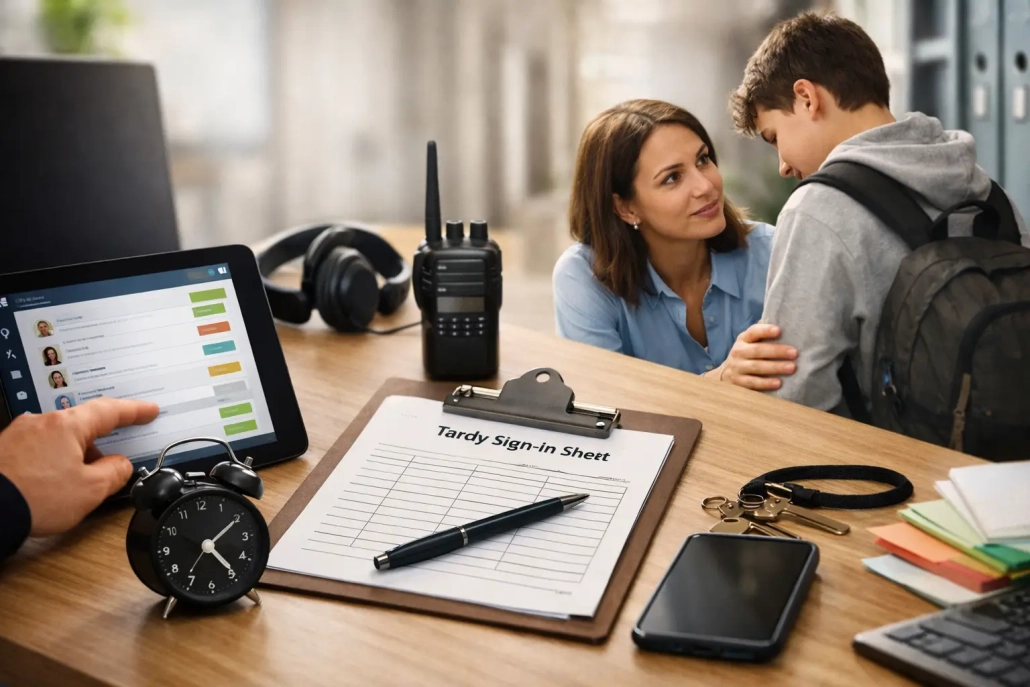
Best Tools for Tardy Intervention in Schools
A late bell should not create a line at the front office, interrupt first-period instruction, or leave staff guessing whether a student is safely on campus. The best tools for tardy intervention give schools a fast way to document arrivals, identify patterns, communicate with families, and apply consistent support before a few late arrivals become chronic absenteeism.
For K-12 leaders, tardiness is not simply a discipline issue. It is an operational, instructional, and student accountability issue. A student who arrives 15 minutes late may miss breakfast, a safety screening, teacher directions, or the opening portion of a high-value lesson. When hundreds of arrivals must be managed in a narrow window, paper passes and manual data entry make a difficult problem harder.
The right solution does more than record a timestamp. It creates a dependable workflow from the moment a student arrives late through follow-up, intervention, and reporting.
What Tardy Intervention Tools Need to Do
A school can track tardies in a basic student information system, but recording a tardy after the fact is not the same as managing one in real time. Effective intervention starts with accurate capture at the point of arrival. Staff should know who checked in, when they arrived, why they were late when that information is available, and where the student needs to go next.
The strongest systems connect that event to practical next steps. They can issue a dated pass, apply a code, notify designated staff, update the SIS, and contribute to a student’s attendance history without requiring an attendance clerk to rekey the same information multiple times.
That distinction matters at every scale. A small private school may need a simple front-office scanner and reliable reporting. A large district may need multiple entry points, role-based access, districtwide tardy codes, automated parent communication, and data that remains consistent across buildings.
Best Tools for Tardy Intervention: Core Capabilities
Rather than selecting a system based on one feature, school leaders should evaluate the workflow as a whole. The best platform is the one that helps staff act quickly while producing data leaders can trust.
Barcode and ID-Based Late Check-Ins
Barcode scanning and student ID check-ins are among the most practical tools for busy arrival periods. A student scans an ID card, staff verify the record when needed, and the system logs the arrival in seconds. This approach reduces handwritten slips, eliminates many spelling and data-entry errors, and keeps the late-arrival line moving.
A barcode-based workflow is especially valuable when the same staff member is also answering phones, receiving visitors, responding to parent questions, or monitoring campus entry. It gives the school a consistent record without turning every late arrival into a lengthy office interaction.
Mobile check-in options can extend the same accountability to alternate entrances, bus drop-off areas, temporary campuses, or staff conducting arrival supervision away from the main office. The trade-off is that mobile workflows require clear device management and staff training. They work best when the check-in process is standardized across locations.
Real-Time Attendance and SIS Integration
A tardy record has limited value if it remains isolated from the official attendance record. Real-time SIS integration is a high-priority capability because it prevents duplicate work and gives teachers, attendance teams, counselors, and administrators access to the same current information.
When a student checks in late, the system should update the appropriate attendance status according to district rules. Teachers can see that the student has arrived rather than marking the student absent for the entire period. Attendance staff can avoid reconciling conflicting lists later in the day.
Integration should be evaluated carefully. District IT teams should ask which SIS platforms are supported, whether data flows in both directions, how quickly updates occur, and how exceptions are handled. A solution that claims to integrate but depends on delayed exports may still leave staff working from outdated information during the school day.
Automated Family Notifications
Families cannot address a tardy pattern they do not know exists. Automated notifications provide a prompt, documented way to inform parents and guardians when a student arrives late or reaches a defined intervention threshold.
The most useful notification tools allow schools to tailor messages by grade level, reason code, frequency, language preference, and district policy. An elementary school may need immediate family contact because a late arrival affects student supervision. A high school may use escalating messages after repeated unexcused tardies. The right approach depends on local policy and the student population.
Automation should support relationships, not replace them. A generic alert can document an event, but a counselor, dean, or attendance officer may need to follow up when the data reveals transportation problems, housing instability, caregiving responsibilities, or another barrier to regular attendance. Good systems make those patterns easier to see.
Intervention Thresholds and Case Management Workflows
Consistency is one of the hardest parts of tardy intervention. If one student receives a reminder after three tardies while another reaches eight before anyone notices, staff lose time and students receive mixed messages.
Tools with configurable thresholds can flag students after a defined number of tardies within a week, month, grading period, or school year. The flag can trigger a staff task, a parent message, a conference request, or a review by an attendance team. This allows schools to move from reactive discipline to documented, timely intervention.
However, thresholds should not be treated as automatic punishments. The most effective workflow gives staff context. A student arriving late because of a documented bus route issue needs a different response than a student who repeatedly leaves home late. Schools need the ability to review reasons, add notes, record outreach, and distinguish excused from unexcused tardies.
Dashboards and Actionable Reporting
A dashboard should answer operational questions quickly: Which students are late today? Which entrance is seeing the highest volume? Which grade level has the most unexcused tardies? Which students are nearing an intervention threshold?
Long-term reports should help leaders identify larger trends. For example, a spike in Monday tardies may point to transportation scheduling or family communication needs. A recurring issue during a particular period could indicate a bell schedule problem, a classroom transition challenge, or inconsistent coding practices.
Reporting is only as useful as the data behind it. Look for tools that provide standardized tardy codes, date and time stamps, staff attribution when appropriate, and filters that allow teams to separate excused events from attendance concerns. District leaders also need roll-up reporting that preserves building-level detail without forcing each school to create separate spreadsheets.
Teacher Visibility and Classroom Accountability
The front office should not carry the full burden of tardy management. Teachers need a simple way to confirm that a late-arriving student has been checked in and is authorized to enter class. Real-time teacher modules can reduce classroom interruptions and avoid the familiar question: “Were you marked late, or were you absent?”
A printed or digital late pass can be useful, but it should support the system of record rather than become another manual process. When teacher visibility is connected to real-time attendance data, staff can focus on instruction while the school maintains consistent accountability.
Student Movement and Campus Safety Context
For many schools, the tardy workflow is also a campus safety workflow. A student who arrives after the first bell should be accounted for, especially on campuses with multiple buildings, controlled entry points, or high daily visitor volume.
An all-in-one platform that combines arrival tracking, attendance, hall pass management, visitor monitoring, and notifications can reduce gaps between systems. This does not mean every school needs every module on day one. A phased implementation may be the better choice for a school moving away from paper processes. But the ability to expand within one connected environment can protect data consistency as needs grow.
How to Choose the Right Fit for Your School
Start with the arrival process you have now. Map who receives late students, how tardies are entered, how teachers are informed, when parents are notified, and where data breaks down. That exercise often reveals that the issue is not a lack of rules. It is a lack of a workable process during the busiest 20 minutes of the day.
Then evaluate vendors against the realities of your campus. Ask whether the system can support your SIS, student ID format, tardy codes, notification requirements, and reporting structure. Confirm what implementation, training, and ongoing support look like. A feature-rich platform is not best-in-class for your school if staff cannot use it confidently during morning arrival.
Scalability deserves attention as well. A single-building solution may work today, but districts should consider whether it can support additional schools, varying bell schedules, different intervention policies, and centralized reporting later. SwipeK12 Solutions is designed around this kind of operational flexibility, helping schools build connected attendance and accountability workflows without adding unnecessary administrative friction.
Build Intervention Around Timely Information
Tardy intervention works when information reaches the right person early enough to matter. Accurate check-ins help students get to class faster. Real-time updates keep teachers and office staff aligned. Pattern reporting helps attendance teams identify barriers before they become entrenched.
The goal is not to create more consequences or more paperwork. It is to give staff a reliable way to respond consistently, protect instructional time, and help every student make it through the school doors ready to learn.


Leave a Reply
Want to join the discussion?Feel free to contribute!