
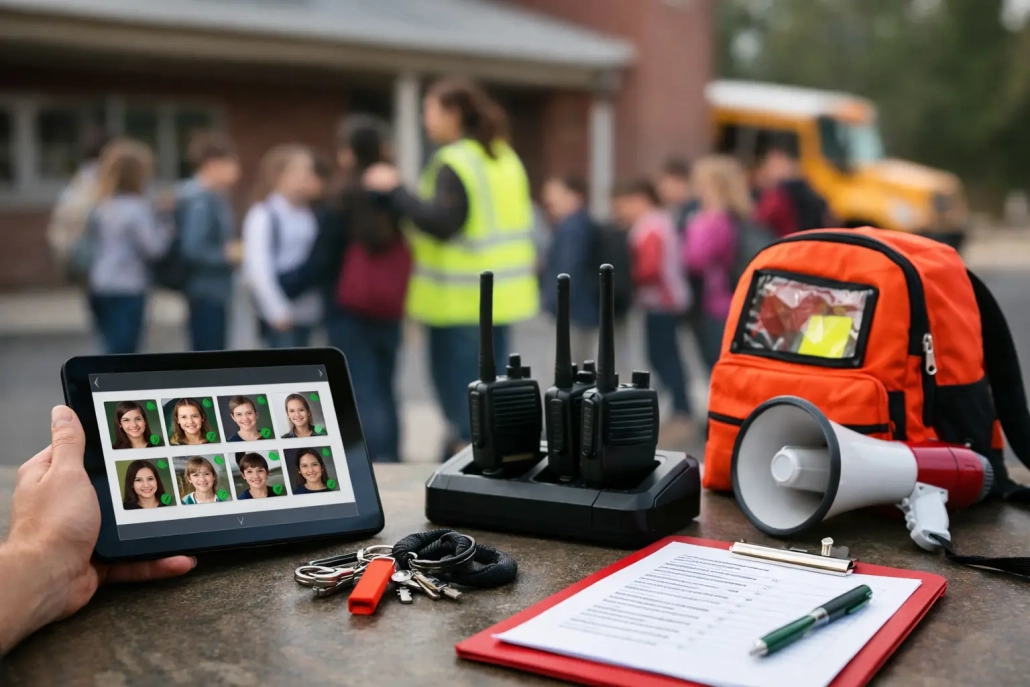
Best School Emergency Accountability Tools
A fire alarm during second period, a weather shelter-in-place, or a campus lockdown creates the same immediate operational question: Where is every student, staff member, and visitor right now? The best school emergency accountability tools give school teams a verified answer quickly, without relying on paper rosters, memory, or disconnected systems.
For K-12 leaders, emergency accountability is not a feature that can sit unused until a crisis. It is the operational foundation that supports accurate attendance, student movement visibility, staff coordination, family communication, and post-incident documentation every school day. The right system helps teams account for people at the moment they leave their normal routines.
What Emergency Accountability Must Accomplish
An emergency accountability tool should do more than display a class list. During an incident, staff need a fast way to identify who is present, who is missing, who arrived late, who left early, and who was checked out before the event. Administrators need that information in a single view, not spread across classroom binders, front-office logs, and separate messaging platforms.
The strongest systems begin with dependable daily data. If a school’s attendance records are incomplete by 10:00 a.m., emergency reports will be incomplete too. That is why emergency readiness and attendance operations should work together. Barcode-based student scans, mobile check-ins, teacher attendance tools, visitor monitoring, and real-time SIS updates all contribute to a more accurate operational picture.
Speed matters, but accuracy matters just as much. A rushed headcount that cannot distinguish an absent student from a student who is unaccounted for can create unnecessary alarm. Tools should clearly show status categories and allow staff to update records from the location where students have been moved.
Best School Emergency Accountability Tools: Core Capabilities
School and district teams should evaluate emergency accountability platforms by how they perform under real building conditions. Wi-Fi may be strained, staff may be outside their classrooms, substitutes may be present, and administrators may be coordinating several locations at once. The system must remain simple enough for people to use correctly under pressure.
Real-Time Attendance and Location Status
Real-time attendance capture is the starting point. A platform should reflect arrival, tardy, dismissal, and checkout activity as it occurs, with records available to authorized users immediately. This gives emergency leaders a trustworthy baseline before an event begins.
Location visibility adds another layer of value. When schools use classroom scanning, hall pass workflows, cafeteria check-ins, or screening stations, they can reduce the uncertainty that develops when students move between periods. No system can predict every movement, but current data gives staff a much stronger starting point than a morning attendance sheet.
Mobile Roll Call Outside the Classroom
Students may be in a field, gym, cafeteria, parking area, auditorium, or off-campus activity when an emergency occurs. Staff need mobile tools that let them take or confirm attendance wherever they are assigned.
Look for a process that is fast enough to use during evacuation and structured enough to prevent duplicate or unclear records. Teachers should be able to mark students accounted for, missing, or added to their supervision group. Administrators should be able to see those updates as they happen and follow up on exceptions rather than calling every classroom individually.
Centralized Command Visibility
A principal, safety director, or district incident lead needs a command view that turns many staff updates into an actionable picture. The best tools provide totals by status, identify unresolved students, and allow leaders to filter by grade, teacher, building, or assigned area.
This centralized visibility reduces radio traffic and repeated requests for information. It also gives the response team a clearer record of what was known, when it was known, and which actions were taken. For larger districts, the ability to view multiple campuses from an authorized central office can be particularly valuable during severe weather or a community-wide event.
Reunification and Controlled Release Records
Emergency accountability does not end when students have been located. If an incident requires early release or reunification, schools must document who is authorized to pick up each student, when the release occurred, and which staff member completed the transaction.
A digital release workflow can help prevent duplicate checkouts and reduce the paperwork that often piles up during a long reunification event. It should support clear audit trails while keeping sensitive student and family data restricted to the appropriate personnel.
SIS Integration and Reliable Reporting
A standalone emergency application creates more work when staff must re-enter enrollment, attendance, and contact information. Integration with the school information system helps keep student records current and reduces manual reconciliation.
District technology teams should ask practical questions: How often does data sync? Which records are shared? What happens when a student enrolls midyear or changes schools? Can reports be exported for compliance, internal review, or emergency planning? Strong answers to these questions separate a useful demonstration from a system that will support daily operations.
Match the Tool to Your School’s Risk and Workflow
There is no single emergency configuration that fits every campus. An elementary school may prioritize visitor control, dismissal accuracy, and rapid classroom-to-assembly accountability. A large high school may need stronger visibility into tardies, hall movement, multiple lunch periods, athletic activities, and off-campus programs.
Rural districts may need to account for transportation routes and limited connectivity. Urban campuses may need high-volume arrival tools that capture thousands of daily entries without creating lines at the door. Charter and private schools may have smaller teams but still need the same clarity around student release and visitor access.
The most effective approach is to map the school day before selecting technology. Follow a student from arrival through first period, transitions, lunch, intervention blocks, dismissal, and extracurricular activities. Identify where manual processes create gaps, delays, or duplicate work. Then determine whether the accountability tool can improve those specific moments.
A system with every possible module is not automatically the right choice if staff cannot adopt it consistently. Conversely, a basic tool may be insufficient if a district needs cross-campus reporting and automated family notifications. The right balance depends on building complexity, staffing levels, existing systems, and the types of incidents addressed in the emergency plan.
Implementation Determines Whether the Tool Works in a Crisis
Emergency accountability technology should be introduced as part of normal operations, not stored away for an annual drill. Daily use builds familiarity. When teachers already use a mobile attendance process or scan students into a classroom, the emergency workflow feels like an extension of a known task rather than a new procedure.
Training should be role-specific. Teachers need to know how to complete a mobile roll call and report an exception. Front-office staff need checkout and reunification procedures. Administrators need to interpret command reports and assign follow-up. District IT teams need clarity on permissions, data syncs, device management, and support escalation.
Practice also needs to reflect real conditions. A drill that starts with a printed roster at a teacher’s desk does not test whether the digital process works while students are at lunch. Schools should vary drill scenarios, test mobile devices in outdoor gathering areas, and review where updates slowed down or became confusing.
Support responsiveness deserves close attention during selection. School operations cannot pause for days while a ticket is routed through multiple vendors. A provider should understand K-12 workflows, help configure the platform around local procedures, and remain available as needs change. SwipeK12 Solutions is designed around this all-in-one operational model, connecting attendance, student tracking, accountability, and reporting so schools can reduce fragmented processes.
Questions to Ask Before You Buy
Before approving a platform, school leaders should ask vendors to demonstrate the exact workflow their staff will use. Ask how a teacher accounts for a student who joins another class during an evacuation. Ask how the system handles a student who checked out minutes before an incident. Ask what an administrator sees when one group has not completed roll call.
Also ask about permissions, data retention, device requirements, offline or low-connectivity procedures, implementation timelines, training, and support coverage. A polished dashboard is not enough. The platform must hold up when staff are busy, information is changing, and every minute matters.
The best choice is usually the one that makes daily accountability easier while giving leaders dependable emergency visibility. When routine attendance, student movement, and release records are accurate, a school enters an emergency with better information already in hand. That preparation gives staff more time to focus on students, communicate clearly, and make the next decision with confidence.


Leave a Reply
Want to join the discussion?Feel free to contribute!