
Cloud Attendance Versus Spreadsheets for K-12
A spreadsheet can look like a workable attendance system at 7:45 a.m. By 10:15, after late buses, nurse visits, early dismissals, classroom corrections, and parent calls, it can become a version-control problem. The decision around cloud attendance versus spreadsheets is not simply about replacing a familiar file. It is about whether a school can see, document, and act on student attendance while the school day is still happening.
For a small program with limited daily changes, a spreadsheet may serve as a temporary record. For a K-12 school or district responsible for attendance accuracy, student accountability, state reporting, and family communication, the limitations appear quickly. The right system should help staff capture attendance where students are, provide leaders with current visibility, and reduce the manual work that pulls teams away from students.
Cloud Attendance Versus Spreadsheets: The Operational Difference
Spreadsheets are designed to organize data. They are not designed to manage a live campus. They require someone to enter information, save it correctly, share the right version, and make sure every update reaches the people who need it. If an attendance clerk changes a record but a dean is working from an earlier export, the school is already operating with conflicting information.
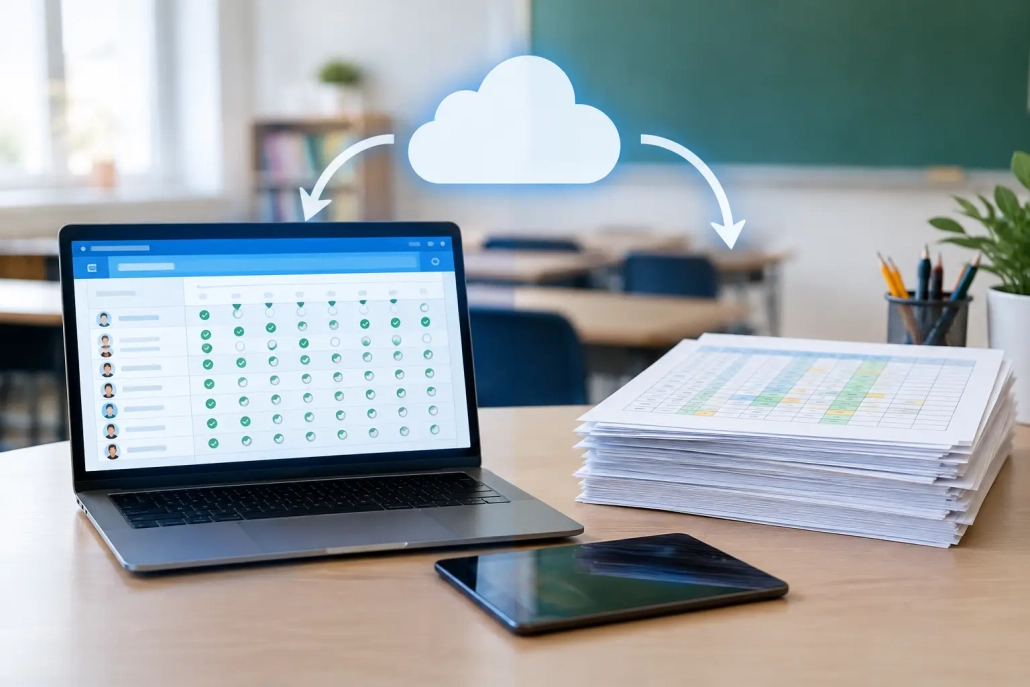
Cloud attendance platforms create a shared, current record instead. Teachers, attendance teams, front-office staff, and designated administrators can work from the same attendance status, subject to role-based permissions. A student scanned as tardy at a designated checkpoint, checked in through an approved process, or marked present in class can update the operational picture without waiting for someone to consolidate files at the end of the day.
That distinction matters most during the busiest parts of the day. Staff should not have to ask whether a student is absent, late, in class, checked out, or simply missing from a spreadsheet tab. They need a reliable answer while there is still time to respond.
Where Spreadsheets Create Hidden Risk
The issue with spreadsheets is rarely effort. Attendance teams often build detailed workarounds because they care deeply about getting the record right. The problem is that a manual process depends on repeated handoffs, and every handoff creates an opportunity for delay or error.
A spreadsheet-based workflow can make it difficult to distinguish between an unexcused absence and a record that has not yet been updated. A student may arrive late after attendance is submitted, visit the office, and then move to class without the latest information being reflected in the file. Meanwhile, staff may be calling home, locating the student, or preparing an intervention based on incomplete information.
The administrative burden compounds over time. Staff may export data from a student information system, compare teacher rosters, correct formatting, sort tardy counts, calculate thresholds, and prepare reports for administrators. None of these steps are impossible. Together, they can consume hours that should be spent on attendance outreach, student support, and campus operations.
Spreadsheets also create access and accountability questions. Who changed a record? When was it changed? Was the change communicated to the appropriate team? A well-managed spreadsheet can include controls, but it was not built as an attendance workflow with real-time events, user permissions, and operational auditability at its center.
What Cloud Attendance Changes During the School Day
Cloud attendance gives schools a way to move from recordkeeping after the fact to active attendance management. Instead of collecting information from separate forms, files, and staff members, the system can support attendance capture at multiple points across campus.
For example, a school may use barcode-based scanning for arrival and tardy processing, classroom tools for teacher attendance, and mobile check-ins for approved locations or activities. The goal is not to force every building into one routine. The goal is to create consistent data across the routines a school already uses.
Faster decisions from current information
Real-time visibility helps school leaders address issues before they become larger operational problems. An attendance officer can identify students with repeated tardies. A dean can review a student’s arrival pattern before a scheduled conference. Front-office staff can verify a student’s status during an early pickup request. Safety personnel can access a more current view of who is expected to be on campus.
This does not eliminate the need for staff judgment. It gives staff better information for that judgment. Schools can set policies, review exceptions, and apply interventions based on documented patterns rather than assembling the story from disconnected records.
Better family communication
Families respond more effectively when communication is timely and specific. If a school relies on end-of-day spreadsheet updates, notifications can be delayed until the moment for a simple correction or conversation has passed. A cloud-based workflow can support prompt, consistent outreach tied to attendance events and district policy.
That does not mean every tardy requires an automated message. Schools need flexibility to determine when and how families are contacted. The advantage is that staff can work from reliable records and apply communication rules consistently across classrooms, grade levels, and campuses.
Reporting that does not start from scratch
Attendance reporting should not require rebuilding the data every reporting period. Schools need records for daily operations, chronic absenteeism initiatives, intervention meetings, compliance reviews, and district leadership. A cloud platform can organize attendance events in a format that is easier to review, filter, and report on.
Integration with a student information system is especially important. The attendance solution should support the school’s established source-of-record requirements rather than create another isolated database. Before selecting a platform, district technology leaders should confirm how data moves between systems, which records are synchronized, who owns correction workflows, and how exceptions are handled.
When a Spreadsheet May Still Be Appropriate
Spreadsheets are not automatically the wrong tool. A small after-school activity, a temporary event roster, or a limited pilot may only need a simple list. They are accessible, familiar, and useful for one-time analysis.
They become less suitable when attendance is tied to daily instructional records, student safety, tardy consequences, parent notifications, staffing decisions, or official reporting. At that point, the question is not whether a spreadsheet can hold the data. It can. The question is whether it can support the speed, accuracy, access controls, and accountability the school requires.
A district should also avoid replacing a spreadsheet with technology that simply digitizes the same manual friction. If teachers must navigate a complicated interface, office staff must reconcile duplicate records, or administrators cannot retrieve useful information quickly, the implementation has missed the operational goal.
How to Evaluate a Cloud Attendance Platform
The strongest evaluation starts with the school day, not a feature checklist. Map how students arrive, where tardies are processed, how teachers submit attendance, how early dismissals are recorded, and who needs visibility at each stage. Then identify the moments where staff are currently re-entering data, searching for answers, or relying on informal communication.
Look for a system that can support the school’s actual workflows while establishing consistent district standards. Key questions include whether it offers multiple attendance capture methods, integrates with the SIS, supports role-based access, provides real-time dashboards, and can scale from one school to a district-wide deployment. Implementation support matters as much as functionality. A platform should adapt to each school’s procedures without making staff feel as though they are running an IT project every morning.
Schools should also consider the broader accountability picture. Attendance is connected to student movement, hall passes, visitor processes, meal service, screening, and communication. An all-in-one approach can reduce duplicate work when those functions need to share timely information. SwipeK12 Solutions is built around that practical reality: attendance data is most valuable when it helps schools run safer, more responsive operations.
Build a Process Staff Can Trust
The best attendance workflow is not the one with the most tabs or the most elaborate manual checks. It is the one staff can follow consistently, leaders can rely on confidently, and families can understand when questions arise.
Start by examining the next high-volume moment on campus: morning arrival, period changes, or dismissal. If staff cannot see a current student status without searching across files, the process is asking too much of them. A cloud attendance system gives schools the opportunity to replace that uncertainty with a clear, shared operational record and keep the focus where it belongs – on students.


Leave a Reply
Want to join the discussion?Feel free to contribute!