
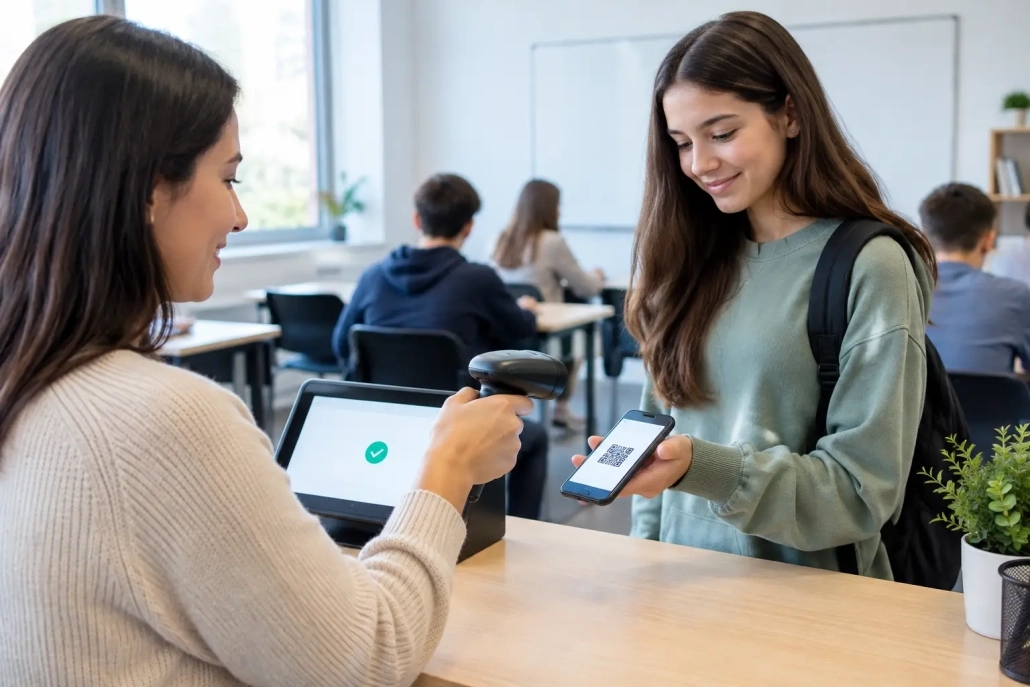
Classroom Attendance Scanner Setup That Works
The first five minutes of class can either produce a clean attendance record or create a chain of corrections that follows staff for the rest of the day. A well-planned classroom attendance scanner setup gives teachers a fast, consistent way to capture who is present while giving administrators the real-time visibility they need for safety, compliance, and family communication.
For K-12 schools, the scanner itself is only one part of the solution. The best results come from aligning devices, student IDs, classroom routines, network access, SIS integration, and staff expectations before the first student scans a badge.
Start With the Operational Outcome
Before selecting devices or mounting a scanner, define what attendance needs to accomplish in your building. A classroom workflow is different from a main-office tardy kiosk, cafeteria scan point, or event check-in station. Each can use the same student ID and accountability platform, but each requires a different setup and staff routine.
For most classrooms, the goal is simple: capture accurate attendance in seconds without asking the teacher to stop instruction. That may mean students scan when they enter, a teacher scans student barcodes from a roster or seating area, or a classroom aide manages scans during a transition. The right option depends on student age, classroom traffic patterns, and whether students already carry photo IDs or barcode badges.
Elementary classrooms may benefit from teacher-led scanning because younger students arrive in groups and may not consistently handle ID cards. Middle and high schools often see stronger results with student self-scanning at the door, especially when IDs are already used for lunch, library access, hall passes, or campus entry. Consistency matters more than the specific model.
Build the Classroom Attendance Scanner Setup Around Traffic Flow
A scanner that works well in the office can fail in a busy classroom doorway. Look at how students actually enter the room. Are they arriving all at once after a bell, filtering in from multiple hallways, or entering after breakfast and intervention periods? Placement should support that movement instead of creating a bottleneck.
For self-service scanning, position the device where students can reach it before they take their seats, without blocking the doorway. A clearly marked scan location helps establish the routine quickly. If a Chromebook, tablet, or workstation is used as the display device, secure cables and power connections so the station remains available throughout the day.
Teacher-operated scanners need a different approach. The device should be within easy reach at the desk or instructional station and ready to use without launching multiple applications or searching for the correct class period. A Bluetooth scanner can offer flexibility, while a wired USB scanner may be the better choice where charging and pairing are a concern. Neither approach is automatically better. The decision should reflect classroom layout, staff preferences, and district device standards.
The barcode format on student IDs also deserves attention. Test actual cards, not just sample labels, before deployment. Worn badges, glossy laminates, folded cards, and low-contrast printing can all affect scan speed. A reliable scanner and well-produced barcode labels reduce exceptions before they reach the attendance office.
Connect Attendance to the Systems Staff Already Use
A classroom scanner creates value when its data moves quickly to the people and systems responsible for attendance. If teachers scan students but then need to manually re-enter records into the student information system, the school has simply added another task.
A properly configured platform should map students to the correct school, classroom, course, period, and attendance code. It should also account for students who are enrolled but absent, students who arrive late, schedule changes, transfers, and substitute teachers. These are the details that determine whether a scanning process saves time or creates daily reconciliation work.
SIS integration should be tested with real attendance scenarios before launch. Confirm that a scan records the expected status, that late arrivals appear correctly, and that authorized staff can review or adjust exceptions. District teams should also determine which system is the official record and how frequently data syncs. Real-time updates are ideal when a school relies on attendance data for safety checks, automated notifications, or intervention workflows.
SwipeK12 Solutions supports this all-in-one approach by bringing barcode attendance capture, student accountability, communication, and reporting into workflows that can adapt to individual schools or district-wide operations.
Define Exception Rules Before They Become Problems
No attendance workflow is exception-free. A student may forget an ID, arrive after the scan window, report to a different room, or scan twice. The difference between a strong deployment and a frustrating one is whether staff know exactly what happens next.
Set clear rules for common situations. Teachers should know how to mark a student present when a badge is missing, how to correct an incorrect scan, and when to send a student to the office for a replacement ID. Attendance personnel should be able to see unscanned students, late scans, duplicate activity, and changes made after the attendance window closes.
Avoid building a process that assumes every scan is perfect. The system should make exceptions visible and easy to resolve while maintaining an audit trail. That protects record accuracy and reduces the back-and-forth that can consume an attendance clerk’s day.
Prepare Teachers for a Routine, Not Another Program
Even a best-in-class attendance system will underperform if teachers see it as one more platform competing for attention. Training should focus on the few actions staff need to take every day, not a lengthy feature tour.
Show teachers how to start the attendance process, confirm scan results, manage missing IDs, and handle late students. Then let them practice with a live or test roster. A two-minute classroom routine can be easy to understand in theory but still expose practical questions: Where do students line up? What happens when a student enters after the bell? Who checks the scanner if the teacher is assisting a student?
Build training around those moments. Provide a concise quick-reference guide and identify a building-level contact who can resolve questions during the first weeks. Administrators should also communicate why the change matters. Faster attendance supports instruction, but it also strengthens campus accountability by giving school leaders a more current picture of who is present.
Substitutes need a plan as well. Depending on the school model, that may include a simplified scan process, a printed backup roster, or support from a neighboring teacher or attendance monitor. A system that only works when one trained staff member is present is not fully operational.
Test the Setup Under Real School Conditions
A successful pilot is more than turning on a scanner in an empty classroom. Test during arrival, passing periods, and the first minutes of class, when device performance, Wi-Fi coverage, and student behavior are most likely to expose weaknesses.
Choose a small group of classrooms with different needs, such as a high-enrollment high school course, a special education classroom, an elementary homeroom, and a room with frequent late arrivals. Measure scan completion, correction volume, teacher feedback, and the time required for attendance staff to resolve issues.
If scan rates are low, identify the cause before expanding. The issue may be placement, student IDs, staffing, network connectivity, unclear expectations, or a process that takes too long during a busy transition. Do not assume the technology is the only variable.
A pilot also gives the district a chance to verify reporting. Administrators should be able to review attendance by classroom, period, student, and time of scan. They should confirm that reports support existing compliance requirements and that data is available to the teams responsible for attendance interventions, safety response, and parent outreach.
Plan for Reliability and Growth
Every school needs a backup procedure for an offline device, network interruption, damaged scanner, or classroom change. Keep spare scanners or approved replacement devices available, document basic troubleshooting, and ensure staff know the temporary attendance process. A backup should preserve accountability without forcing teachers back to paper for longer than necessary.
For district-wide deployments, standardize what can be standardized: supported scanner models, badge specifications, naming conventions, staff permissions, and help-desk escalation paths. At the same time, allow buildings to adapt the routine to their age group and schedule. A high school with seven passing periods should not be forced into the exact workflow used by an elementary school with a morning homeroom.
Review performance after implementation. Look for trends in tardies, missing attendance, correction rates, and scan activity by location. These insights can reveal where students are arriving late, where workflows need support, and whether additional scan points would improve visibility.
A classroom attendance scanner setup works best when it feels almost invisible to teachers and students: scan, confirm, teach. Behind that simple routine should be a clear operational plan, reliable data flow, and support team ready to keep attendance accurate when the school day gets busy.


Leave a Reply
Want to join the discussion?Feel free to contribute!