
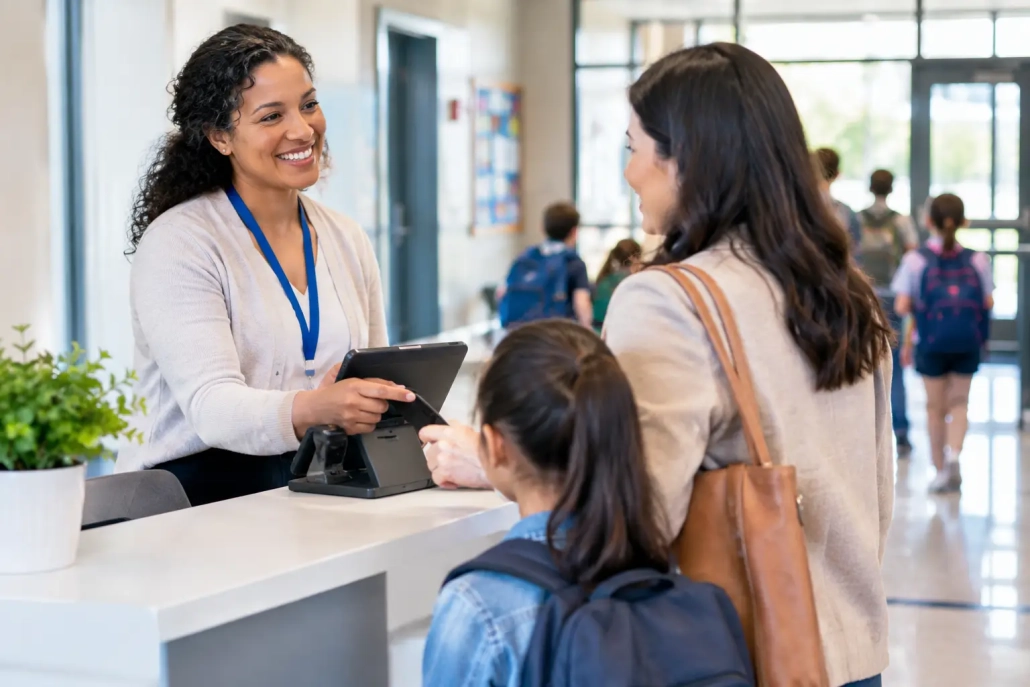
Visitor Management for Safer, Smarter Schools
At 8:10 a.m., a school office may be managing late arrivals, parent meetings, delivery drivers, contractors, volunteers, and staff questions at the same counter. That is not a minor administrative task. It is a campus safety and accountability challenge. Effective visitor management gives school teams a clear, real-time answer to a basic but critical question: Who is in the building right now, why are they here, and where should they be?
For K-12 schools, a visitor process cannot rely on a paper sign-in sheet sitting on a counter. Handwritten logs are difficult to read, easy to bypass, and nearly impossible to search quickly during an emergency. Schools need a process that protects students without turning every front-office interaction into a bottleneck.
Why Visitor Management Is a School Operations Priority
A visitor management process is often viewed as a security measure, and it is. But its daily value reaches further. It helps front-office teams process guests consistently, gives administrators a documented record of campus activity, and helps staff distinguish authorized visitors from people who have not checked in.
That visibility matters during ordinary school days as much as during a crisis. A principal may need to confirm whether a guardian arrived for a scheduled conference. An operations team may need to verify when a vendor entered and exited. A safety officer may need an up-to-date list of visitors during a drill, evacuation, or campus incident. When records are digital and current, staff do not have to sort through pages of paper or rely on memory.
Strong visitor monitoring also supports a more welcoming campus. Families should not feel as though they are entering a fortress to attend a student event or meet with a teacher. The goal is a process that is courteous, consistent, and fast enough to respect their time while still maintaining the safeguards schools need.
What Effective Visitor Management Should Accomplish
The right system should create accountability from arrival through departure. That begins with a defined check-in process and ends with a recorded check-out. Between those points, the school should be able to identify the visitor, document the purpose of the visit, provide a visible credential when appropriate, and retain a searchable record.
For many schools, the most useful visitor management tools include ID scanning or manual entry, visitor badges, watch-list screening, sign-in and sign-out timestamps, and reporting capabilities. The right combination depends on the school’s size, traffic volume, community expectations, and existing safety procedures.
A small elementary school with one main entrance may need a simple, dependable front-desk workflow. A large high school, district office, or campus with multiple buildings may require more advanced controls, centralized reporting, and consistent processes across locations. Neither approach is automatically better. The best fit is the one staff can use reliably every day.
Real-time records matter more than archived paperwork
A visitor log has limited value if it only exists after the fact. School leaders need records that reflect who is currently on campus, not just who signed in earlier that morning. Real-time visibility supports faster decision-making when staff need to account for everyone in the building.
It also strengthens routine follow-up. If a visitor forgets to check out, staff can identify the incomplete record. If a question arises about a meeting, delivery, or service call, administrators can search by date, name, or purpose rather than chase down handwritten entries.
Consistency protects staff and families
A process that changes depending on who is working the front office creates gaps. One visitor may be asked for identification while another is waved through because the office is busy. One contractor may receive a badge while another does not. These inconsistencies are understandable under pressure, but they weaken accountability.
A clearly defined digital workflow gives staff a practical standard to follow. It reduces guesswork, supports substitute office staff, and helps every visitor receive the same professional experience. Consistency also makes it easier to explain expectations to families before an issue occurs.
Building a Process That Works at the Front Desk
Technology is only effective when it fits the rhythm of a school day. Before selecting or expanding a visitor management system, school leaders should map the actual arrival process. Identify peak traffic times, determine who performs check-ins, and review where exceptions commonly occur.
For example, morning drop-off may bring late students, parents delivering forgotten items, and scheduled visitors to the same entrance. Afternoon dismissal may involve after-school providers, family pickups, and transportation questions. A process that works at 11:00 a.m. may fail during those high-volume windows.
Start by establishing who must check in, what identification or information is required, and what credential visitors should display. Then determine how the process will handle common exceptions, such as a parent without identification, a recurring volunteer, a contractor working across several days, or an unexpected district representative.
The system should make routine steps fast while giving staff a clear path for situations that need review. If every visitor requires lengthy manual entry, lines will form and staff may return to shortcuts. If the process is too loose, the campus loses the accountability the system was meant to provide.
Connect Visitor Records to the Larger Safety Picture
Visitor management is strongest when it does not operate as an isolated front-office tool. Schools already manage student attendance, tardies, hall activity, nurse visits, dismissals, and emergency accountability. Visitor records should contribute to that broader operational picture.
An all-in-one approach can help administrators see campus activity without moving among disconnected spreadsheets, paper forms, and separate platforms. When a school can combine visitor monitoring with attendance and student movement workflows, its staff gains a clearer view of who should be present and who is actually on campus.
This does not mean every school needs the same level of integration. District IT teams should evaluate compatibility with existing student information systems, reporting needs, data retention policies, and user permissions. A system with more features is not always the right choice if it creates extra work or cannot fit the district’s established processes.
However, integration becomes especially valuable for districts that need consistent reporting across multiple schools. Central office teams can set standards, monitor adoption, and give principals access to the records they need without forcing each building to create its own workaround.
SwipeK12 supports this operational approach by bringing visitor monitoring together with attendance, student tracking, campus accountability, and reporting workflows designed for K-12 environments.
Privacy, Screening, and the Need for Clear Policies
Visitor screening can be a sensitive subject because schools must balance safety with privacy and community trust. A system should collect only the information needed for a defined purpose, protect that information appropriately, and align with district policy and applicable requirements.
School leaders should communicate the process clearly. Families and visitors are more likely to cooperate when they understand why identification is requested, how badges are used, and what they should expect upon arrival. Plain-language signage and staff scripts can prevent confusion at the front desk.
Policies should also define who can access visitor data, how long records are retained, and how exceptions are handled. Screening alerts require particular care. Staff need a documented response process that protects students while avoiding unnecessary confrontation or public embarrassment. A notification is a prompt for trained staff review, not a substitute for judgment.
Measure Adoption, Not Just Installation
Installing a visitor management system is not the finish line. The real test is whether the process is used consistently during busy, imperfect school days. Administrators should periodically review check-in activity, incomplete check-outs, badge use, and staff feedback.
Look for practical signals: Are office staff able to process visitors quickly? Are teachers and security personnel recognizing visitor credentials? Can leaders produce an accurate visitor list when needed? Are families receiving a clear and respectful experience?
Training should be brief, role-specific, and repeated when staffing changes. Front-office teams need hands-on practice. Administrators need reporting access. Safety personnel need to understand how visitor data supports emergency procedures. District teams need clarity around permissions, configuration, and support escalation.
The strongest systems are not those with the longest feature list. They are the ones that make the safe action the easy action for staff.
A well-run front office sends a powerful message: this school is prepared, organized, and focused on every person who enters campus. When visitor management is clear, connected, and consistently used, school teams can spend less time reconstructing who came through the door and more time supporting the students already inside.


Leave a Reply
Want to join the discussion?Feel free to contribute!