
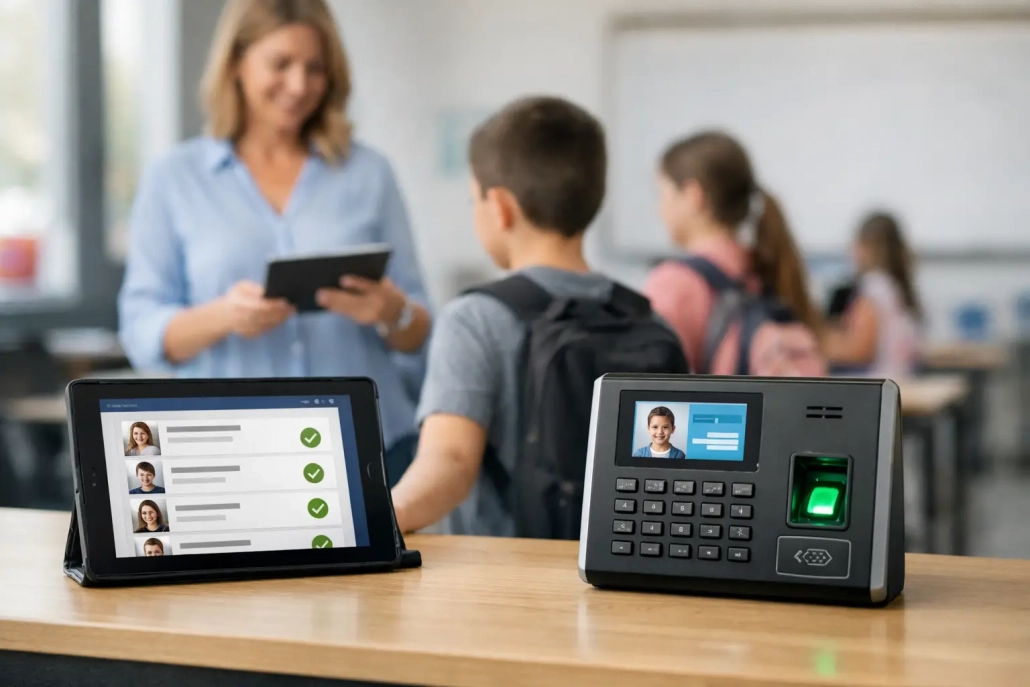
How to Automate School Attendance
At 8:17 a.m., the front office line is growing, teachers are taking roll, late students are waiting for passes, and someone is already asking for a daily attendance report. That is usually the moment school leaders start asking how to automate school attendance in a way that actually reduces friction instead of creating more work.
For most K-12 schools, attendance is not a single task. It is a chain of tasks that starts at arrival, continues through first period and class changes, and ends with reporting, parent communication, and compliance documentation. If even one part of that chain stays manual, staff still chase paper, enter corrections by hand, and spend valuable time confirming who is on campus. Effective automation fixes the whole workflow, not just one checkpoint.
What it really means to automate school attendance
If you want to know how to automate school attendance well, start by defining the outcome. Automation is not simply replacing a paper roster with a digital screen. It means capturing attendance data in real time, applying rules automatically, pushing that data into the student information system, and triggering the next action without staff having to manage every step manually.
In practice, that can include barcode scans at arrival, kiosk or mobile check-ins for tardy students, classroom scanning for period attendance, automatic timestamping, instant parent notifications, and exception-based reporting for administrators. The goal is simple: faster visibility, better accuracy, and less manual reconciliation.
That matters for more than efficiency. Attendance is tied to accountability, funding, intervention, parent communication, and campus safety. When data is delayed or inconsistent, schools lose time and confidence. When it is automated and visible in real time, staff can respond faster and make better decisions throughout the day.
Start with the attendance problems that cost you the most
Schools often jump straight to hardware or software features, but the better starting point is operational pain. A small private school and a large urban district may both want automated attendance, yet the bottlenecks can be completely different.
Some schools struggle most with morning arrival and tardy lines. Others have issues with classroom attendance compliance, incomplete period data, or delayed absence calls to families. Some campuses need stronger visibility into student movement because attendance and safety are closely connected. District leaders may be focused on standardizing procedures across multiple schools and reducing reporting inconsistencies.
Before choosing a system, identify where manual work is happening now. Look at where staff re-enter data, where students wait in line, where teachers lose instructional time, and where administrators lack real-time visibility. Those pressure points should drive the design of your automated process.
Build automation around the full school day
The strongest attendance systems do not stop at homeroom. They support the full rhythm of a school day.
Arrival and front office check-ins
For many campuses, the first win comes at the front door. Barcode-based scanning, ID scanning, or kiosk check-ins can record student arrival instantly and reduce paper sign-in processes. Tardy students can be checked in through a self-service or staff-assisted station that prints or issues a digital pass while documenting time of arrival automatically.
This is where schools often see immediate improvement. Office staff spend less time handwriting passes and correcting logs, and administrators gain an accurate record of who arrived late and when.
Classroom attendance capture
Teacher adoption is where many attendance initiatives succeed or stall. If the process adds steps, teachers may delay entry or submit inconsistent data. Classroom scanning or quick teacher modules make period attendance easier because they fit the pace of instruction.
The best setup depends on the school model. Elementary campuses may need simple roster-based attendance at set times. Secondary schools often benefit from faster scanning workflows that support multiple periods and reduce transition-time errors. The right choice is the one staff will use consistently.
Student movement and accountability
Attendance automation also becomes more valuable when it connects to student movement. Hall pass tracking, early dismissal workflows, cafeteria check-ins, and screening checkpoints add context to attendance records and strengthen campus visibility.
This is especially useful when a school needs to answer a practical question quickly: Is the student absent, tardy, in class, in the nurse’s office, signed out early, or moving through an approved pass? Schools that connect attendance and accountability in one system get a clearer picture with fewer calls, fewer assumptions, and faster response times.
Connect your system to the SIS from day one
A school can digitize attendance without truly automating it. The difference usually comes down to integration.
If attendance data still has to be exported, cleaned up, and manually imported into the student information system, staff are still carrying the burden. Real automation requires dependable SIS integration so student rosters, schedules, attendance statuses, and reports stay aligned.
This is one of the most important decisions in the process. Administrators should ask how data flows between systems, how often it syncs, what happens when records do not match, and who supports the integration after launch. A flashy front-end tool loses value quickly if reporting becomes more complicated behind the scenes.
For districts, standardization matters even more. A solution should be flexible enough to fit different buildings while still giving central office teams consistent data, reporting logic, and oversight.
Use alerts and notifications to reduce follow-up work
One of the biggest advantages of automated attendance is that the system can act on the data immediately. Instead of asking staff to pull reports and contact families manually, schools can configure notifications based on specific attendance events.
A late arrival can trigger a parent message. An unexcused absence can appear on an attendance dashboard in real time. Repeated tardies can route to an intervention workflow. Office and administrative teams no longer have to monitor every exception by hand because the platform surfaces what needs attention.
This is where automation starts delivering measurable operational value. It shortens the time between event and response, helps schools document outreach, and keeps routine follow-up from overwhelming front office staff.
Keep the process easy for staff
The fastest way to undermine an attendance rollout is to make it too complicated. Even a best-in-class platform needs simple workflows if schools expect strong adoption.
That means different user groups should only see what they need. Teachers need a fast attendance tool. Front office staff need quick exception handling and check-in workflows. Administrators need dashboards, reports, and oversight. District teams need visibility across buildings. When each user experience is focused, schools get cleaner data and fewer support issues.
Training should also match the reality of school operations. Staff do not need a technology lecture. They need clear steps for common daily tasks, fast answers when something goes wrong, and support that responds quickly. Practical implementation matters as much as software capability.
Plan for exceptions, not just the ideal workflow
Every school day includes exceptions. Students forget IDs. Buses arrive late. Schedules change. Families call in absences after the attendance window closes. Some students check in through the nurse, counseling office, or an alternative campus entrance.
A good automated attendance system accounts for those realities. It should make exception handling easy without breaking the data trail. It should also preserve accountability by tracking edits, timestamps, and user actions. Schools need automation, but they also need confidence that records remain accurate when the day does not go according to plan.
This is where flexibility matters. A rigid setup may look efficient on paper but create frustration in live school environments. The right platform supports standardization while giving each campus the practical tools it needs.
Measure success beyond speed
When schools evaluate whether automation is working, speed is only one metric. Faster check-ins and attendance entry matter, but so do data quality, compliance, parent response times, and administrative visibility.
Look at whether tardy lines are shorter, whether teachers submit attendance more consistently, whether parent notifications go out faster, and whether staff spend less time reconciling records. Districts may also track reporting accuracy, audit readiness, and campus-level consistency.
The strongest attendance improvements are usually visible within daily routines. Fewer manual corrections. Fewer calls asking where a student is supposed to be. Better documentation. Stronger confidence in the numbers. Those are the signs the system is doing its job.
How to automate school attendance without overbuilding
Not every school needs the same level of automation on day one. Some campuses start with front office tardy management and classroom attendance, then add student movement tracking and broader accountability tools later. Others need a district-wide rollout with integrated reporting from the start.
The smart approach is to match the solution to your operational goals, staffing model, and support capacity. Schools should choose technology that can scale, but they should not force a level of complexity that staff cannot sustain. The best rollout is the one that improves daily execution now and leaves room to expand later.
For K-12 leaders, the question is not whether attendance can be automated. It can. The better question is whether your system can capture attendance in real time, support staff without slowing them down, and give your team a clearer view of student accountability across the day. When those pieces come together, attendance stops being a daily scramble and starts becoming a reliable operational advantage.
If your current process still depends on paper passes, delayed entries, and end-of-day corrections, that is not a staffing issue alone – it is a workflow issue. Fix the workflow, and the day gets easier for everyone who depends on accurate attendance to keep students safe, informed, and where they are supposed to be.


Leave a Reply
Want to join the discussion?Feel free to contribute!