
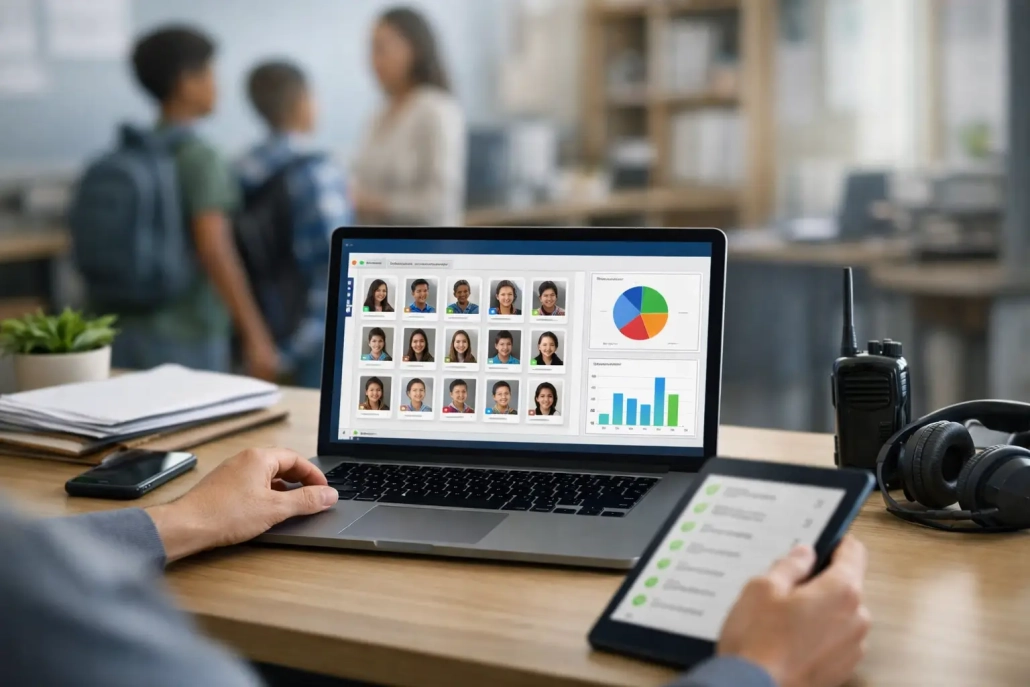
Top Software for Attendance Officers in K-12
A student arrives late, checks in at the front office, heads to class, leaves for an appointment, and returns before lunch. If each step lives in a different spreadsheet, paper slip, or disconnected system, the attendance office is left reconstructing the day after the fact. The top software for attendance officers gives schools a real-time record of who is present, where they checked in, and which follow-up actions still need attention.
For K-12 leaders, the right system is not simply an electronic replacement for a daily roll call. It should reduce manual corrections, support accurate reporting, strengthen campus accountability, and give families timely information when attendance changes. The best choice depends on the school’s operational needs, existing student information system, and the number of locations and workflows it must support.
What Attendance Officers Need From Their Software
Attendance officers manage far more than absences. They resolve late arrivals, early dismissals, attendance codes, parent notes, truancy interventions, and compliance reporting. In many schools, they also help verify student location during emergencies or respond when a student is reported missing from class.
That workload makes speed and accuracy nonnegotiable. A useful attendance platform captures data where attendance happens: at the school entrance, in classrooms, at the nurse’s office, in the cafeteria, and at designated check-out points. When data entry is delayed, staff spend more time chasing records and less time supporting students.
The strongest systems also recognize that attendance is a team process. Teachers need a simple way to record classroom presence. Front-office staff need reliable arrival and dismissal records. Administrators need dashboards that reveal patterns by student, grade level, period, program, or school. District teams need trustworthy data that aligns with their SIS and state reporting requirements.
Top Software for Attendance Officers: Key Categories
Rather than selecting a product based on a long feature list alone, schools should evaluate the type of solution that fits their daily operations. Most attendance tools fall into a few practical categories.
SIS-native attendance modules
Many student information systems include basic attendance functions. These tools can work well for schools with straightforward daily attendance procedures and staff who already work extensively inside the SIS. They provide a familiar place for teachers to submit attendance and for office staff to update codes.
The trade-off is that native modules may not address the full arrival-to-dismissal workflow. Schools that need barcode scanning, kiosk check-ins, tardy passes, real-time campus movement, or automated family notifications may need additional tools. Before relying on the SIS alone, ask how quickly it records a late arrival, whether it documents a physical check-in, and how easily staff can see a student’s current status.
Point solutions for digital check-in and tardies
Digital check-in systems focus on a specific operational challenge, often student tardiness or front-office arrivals. Students may scan an ID badge, use a kiosk, or check in through a staff-managed device. These systems can eliminate handwritten passes, timestamp arrivals, and help staff apply consistent consequences.
A point solution can deliver quick results when tardiness is the main concern. However, it can create another data source to reconcile if it does not update the SIS or communicate with the school’s reporting process. It is a practical fit for a focused need, but districts should look carefully at how the tool will scale across buildings and student workflows.
All-in-one attendance and campus accountability platforms
All-in-one platforms combine attendance capture with student movement tracking, notifications, reporting, and campus monitoring. They are designed for schools that want a single operational view rather than separate systems for classroom attendance, late check-ins, hall passes, and student departures.
This category is often the best fit for schools with high student traffic, multiple entry points, recurring tardiness concerns, or a need for stronger real-time visibility. Barcode-based scanning and mobile check-ins can capture attendance in seconds, while integrations keep records aligned with the SIS. The main consideration is implementation planning: the platform should be configured around the school’s policies, bell schedules, attendance codes, and staff responsibilities rather than forcing the school into a generic workflow.
SwipeK12 Solutions fits this model by bringing attendance, student tracking, hall pass management, notifications, and campus accountability into one configurable K-12 platform. For schools that need more than a teacher-submitted daily roll, that connected approach can reduce administrative friction and improve the quality of attendance data available to staff.
Features That Produce Better Daily Results
Not every feature matters equally. Attendance officers should prioritize capabilities that remove repeat work and create a clear audit trail.
Real-time capture is the foundation. Whether a student scans a barcode ID at a kiosk or a teacher scans a class roster, updates should be available immediately to authorized staff. A delayed sync may be acceptable for a low-stakes report, but it is less useful when an administrator needs to confirm whether a student is on campus now.
SIS integration is equally critical. Attendance data should not require staff to re-enter the same information in two systems. Ask whether the platform supports bidirectional data exchange, how often records synchronize, and who handles exceptions when a student schedule or enrollment changes. A reliable integration protects data quality and reduces IT support requests.
Flexible workflows matter because no two buildings manage arrivals the same way. An elementary school may need parent-facing check-in procedures and office-managed attendance corrections. A large high school may need automated tardy tracking by period, barcode scanners at several entrances, and intervention reports for chronic absenteeism. The software should support those differences without requiring a separate system for every building.
Automated communication helps schools act while the information is current. Attendance officers should be able to trigger alerts for absences, tardies, unexcused arrivals, or early departures using district-approved communication processes. Automation does not replace human judgment. It gives staff a faster starting point for contacting families, documenting outreach, and resolving discrepancies.
Reporting and accountability turn raw records into action. The system should make it easy to identify students with repeated tardies, compare attendance trends across periods, document interventions, and export records when required. School leaders also need confidence that timestamps, corrections, and user actions are traceable.
Questions to Ask Before Choosing a System
A product demonstration should reflect an ordinary school morning, not a polished best-case scenario. Ask the vendor to show what happens when a student arrives late, scans an ID, receives a pass, and is marked present in the appropriate record. Then ask how the process changes if the student has no ID, the network is temporarily unavailable, or a guardian disputes an absence.
District buyers should also ask how the platform handles data governance. Who can correct attendance? Can permissions differ for teachers, attendance clerks, deans, and principals? How are changes logged? Clear controls protect both compliance and staff accountability.
Implementation support deserves the same scrutiny as product features. A system can have the right capabilities and still fail if schools are left to configure codes, scanners, schedules, and staff training alone. Look for a provider that can support pilot planning, building-level setup, staff onboarding, and responsive issue resolution after launch.
Finally, evaluate total operational value rather than the initial license price alone. A lower-cost tool may require manual exports, duplicate data entry, or separate products for hall passes and parent notifications. A more comprehensive platform may carry a larger investment but save staff hours, improve reporting accuracy, and reduce the number of tools students and employees must use.
Match the Platform to the Problem You Need to Solve
For a school with reliable teacher-submitted attendance and limited front-office traffic, a well-configured SIS module may be enough. For a building where late arrivals create long lines and inconsistent records, a dedicated digital check-in workflow can make an immediate difference. For districts that need a complete view of attendance, movement, communication, and campus accountability, an integrated platform is usually the stronger long-term choice.
The right decision starts with observing the points where attendance data breaks down: the crowded front office at first bell, the missing paper pass, the teacher waiting for an updated roster, or the family call made hours after an absence was recorded. Choose software that fixes those moments first. When staff can see accurate information at the moment they need it, attendance becomes less of a daily cleanup task and more of a dependable system for supporting students.


Leave a Reply
Want to join the discussion?Feel free to contribute!