
10 Best Student Tracking Tools for K-12 Schools
A student arrives late, checks in at the front office, visits the nurse, goes to lunch, and leaves early with an approved guardian. If each event lives in a separate paper log, spreadsheet, or staff member’s memory, administrators lose the real-time visibility they need. The best student tracking tools give schools one dependable record of attendance, movement, accountability, and communication without adding another burden to teachers.
For K-12 leaders, the right solution is not simply a digital sign-in sheet. It must fit the way a school actually operates: busy arrival windows, changing bell schedules, staff coverage gaps, safety incidents, parent questions, compliance reporting, and district data requirements. The strongest platforms turn those daily touchpoints into usable information.
What Makes a Student Tracking Tool Effective?
A useful student tracking system answers a basic operational question quickly: where should this student be, and what was their most recent verified activity? That answer needs to be available to the people responsible for attendance, safety, discipline, transportation, and front-office operations.
The best tools also reduce duplicate work. If teachers record classroom attendance, the office should not need to re-enter it. If a student scans in late, a tardy record should update automatically. If a family receives a notification, the school should be able to document when it was sent and why.
Before comparing options, define the problems your school needs to solve. A single elementary school may prioritize quick morning attendance and parent notifications. A large high school may need hall pass accountability, tardy intervention, cafeteria scans, visitor monitoring, and real-time reports across multiple buildings. The best fit depends on the operational gap, not the longest feature list.
10 Best Student Tracking Tools to Consider
1. SIS-Integrated Attendance Management
Attendance management is the foundation of campus accountability. A strong system captures daily attendance, period attendance, tardies, early dismissals, and absences while keeping records aligned with the student information system.
Look for configurable attendance codes, automated exception handling, and reporting that supports state and district requirements. Integration matters because a disconnected attendance tool can create reconciliation work at the end of every day. The best systems give attendance teams current records without forcing them to maintain parallel databases.
2. Barcode and ID Card Scanning
Barcode scanning is one of the fastest ways to capture a verified student interaction. Schools can use ID cards and scanners at classroom doors, entrances, cafeterias, events, testing locations, and after-school programs.
This approach is especially effective when large groups move through a location in minutes. It can reduce manual entry errors and provide a time-stamped record of who checked in. The trade-off is practical: cards must be issued, replaced when lost, and scanned consistently. A vendor should help schools build procedures that staff and students can follow.
3. Mobile Check-In Tools
Mobile check-in gives authorized staff the ability to take attendance or record student activity from a phone or tablet. It is valuable for field trips, assemblies, bus loading, athletic events, temporary classrooms, and areas without a fixed workstation.
The best mobile tools work quickly under real school conditions. Staff should be able to find a roster, record a status, and submit it with minimal taps. District technology teams should also evaluate device management, user permissions, offline behavior, and audit trails before deployment.
4. Classroom Attendance Scanning
Teachers need attendance tools that respect instructional time. Classroom scanning allows them to capture attendance with student IDs rather than calling roll or navigating a complicated screen.
For secondary schools with frequent class changes, the minutes saved can add up quickly. More importantly, timely classroom attendance creates a clearer record when a student is marked present for the day but absent from a scheduled period. That distinction helps attendance officers, deans, and counselors identify issues early.
5. Digital Hall Pass Management
A digital hall pass system tracks students leaving class and returning, including destination, departure time, approving staff member, and pass status. It replaces handwritten passes that are difficult to verify and nearly impossible to report on later.
This tool is particularly useful in middle and high schools where unscheduled movement can affect safety, behavior, and instructional time. Schools should choose configurable rules, such as pass limits, restricted destinations, and alerts for extended time out of class. The goal is not to police every movement. It is to give staff a consistent, defensible process for managing movement during the school day.
6. Visitor Monitoring Systems
Student tracking is closely connected to knowing who else is on campus. Visitor monitoring tools document guest check-in, identification screening, badge printing, and check-out activity.
The strongest solutions help front-office staff move efficiently while maintaining a clear visitor record. Schools should determine whether they need watch-list screening, volunteer management, contractor workflows, or district-wide reporting. Visitor data should be controlled carefully, with defined retention practices and access limited to appropriate personnel.
7. Cafeteria and Meal-Service Scanning
Cafeteria scanning can serve more than one operational purpose. When integrated appropriately, it can help verify meal service, account for student presence, and identify patterns that may matter to school staff.
For example, a student repeatedly missing lunch may warrant a check-in from a counselor or administrator. This data should never be treated as a substitute for official attendance, but it can provide a useful secondary signal. The right system keeps meal-service workflows fast so that student lines do not become longer.
8. Transportation Check-In and Check-Out
Bus accountability tools record when students board or exit transportation, often through ID scanning or roster verification. They can be valuable for districts with complex routes, special transportation needs, or high volumes of younger students.
A transportation solution should support the realities of route changes, substitute drivers, field trips, and weather disruptions. Consider whether transportation records need to connect to parent notifications, student profiles, and school-level attendance workflows. A standalone bus log may solve a narrow problem but limit the district’s overall visibility.
9. Parent Notification and Communication Tools
Tracking only creates value when the school can act on the information. Parent notification tools can send messages for tardies, absences, check-ins, early dismissals, or other defined events through the channels families actually use.
Automation saves staff time, but messages must be accurate and appropriately timed. Schools need the ability to tailor language, respect communication preferences, document delivery attempts, and route responses to the right office. A poorly configured notification can create confusion; a well-configured one can improve attendance follow-up and family trust.
10. Real-Time Reporting and Campus Dashboards
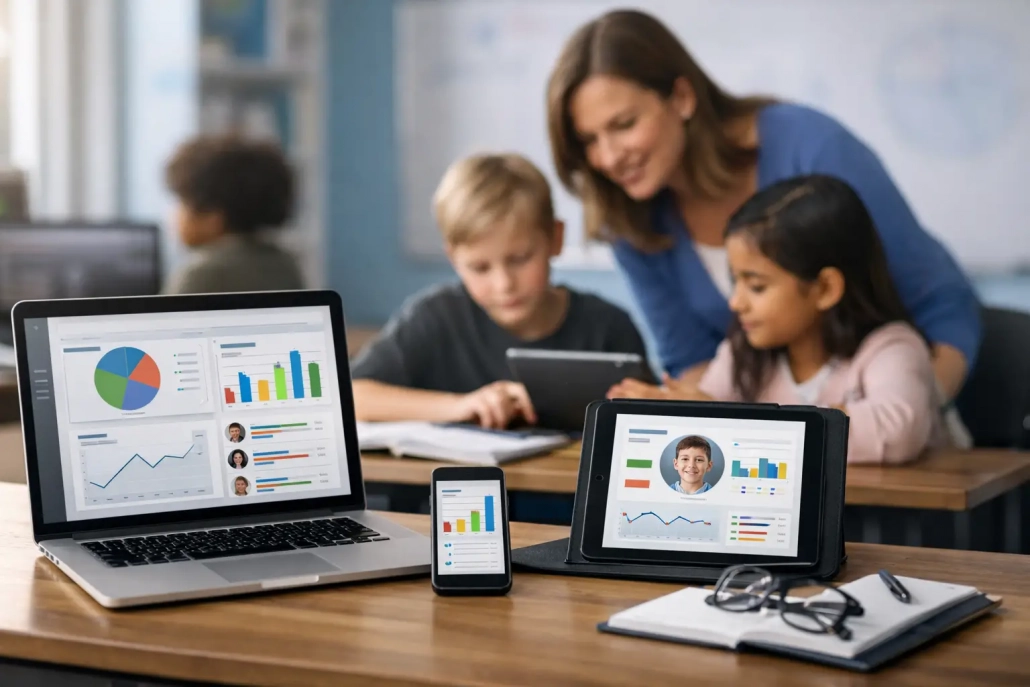
A dashboard is where individual student records become operational intelligence. Attendance teams may need an early-morning list of unverified absences. Principals may need tardy trends by grade level. Safety staff may need a current count of students checked into a specific location.
The best reporting tools allow users to move from a high-level trend to an individual record without waiting for a manual export. They should also provide role-based access, scheduled reports, and clear audit history. Data is most useful when the right staff member can see it at the moment a decision needs to be made.
How to Evaluate the Best Student Tracking Tools
Start with the workflow, not the product demonstration. Map the steps from student arrival through dismissal, then identify where information is delayed, inaccurate, or difficult to retrieve. Include the people who perform the work every day: attendance clerks, teachers, front-office staff, deans, nurses, transportation staff, and district IT.
Next, test how a platform handles exceptions. Every school can process a standard check-in. The real question is what happens when an ID is lost, a student arrives after a schedule change, a substitute covers a class, a parent disputes an absence, or a network connection is interrupted. A reliable provider can explain the workflow clearly and configure it to match your policies.
Integration deserves equal attention. Confirm what data moves between the tracking platform and the SIS, how often it syncs, who owns data corrections, and whether records are preserved in an audit trail. Schools should also review privacy controls, user roles, training plans, hardware requirements, and support response expectations.
An all-in-one platform can reduce the complexity of managing separate attendance, hall pass, visitor, and notification tools. SwipeK12 Solutions is designed around this operational model, combining real-time attendance capture, student movement monitoring, reporting, and communication workflows in a configurable K-12 environment. For some districts, however, a focused tool may be the better choice if it solves a specific gap and integrates cleanly with existing systems.
Choose Tools That Support Action, Not Just Data
The best student tracking tools do not ask schools to collect more information for its own sake. They help staff confirm attendance faster, manage student movement with consistency, communicate with families sooner, and respond with confidence when questions arise.
A successful implementation starts small enough to be adopted well, then expands as staff see the value. When every scan, check-in, and attendance mark supports a clearer next step, tracking becomes less about paperwork and more about keeping students accounted for, supported, and ready to learn.


Leave a Reply
Want to join the discussion?Feel free to contribute!