
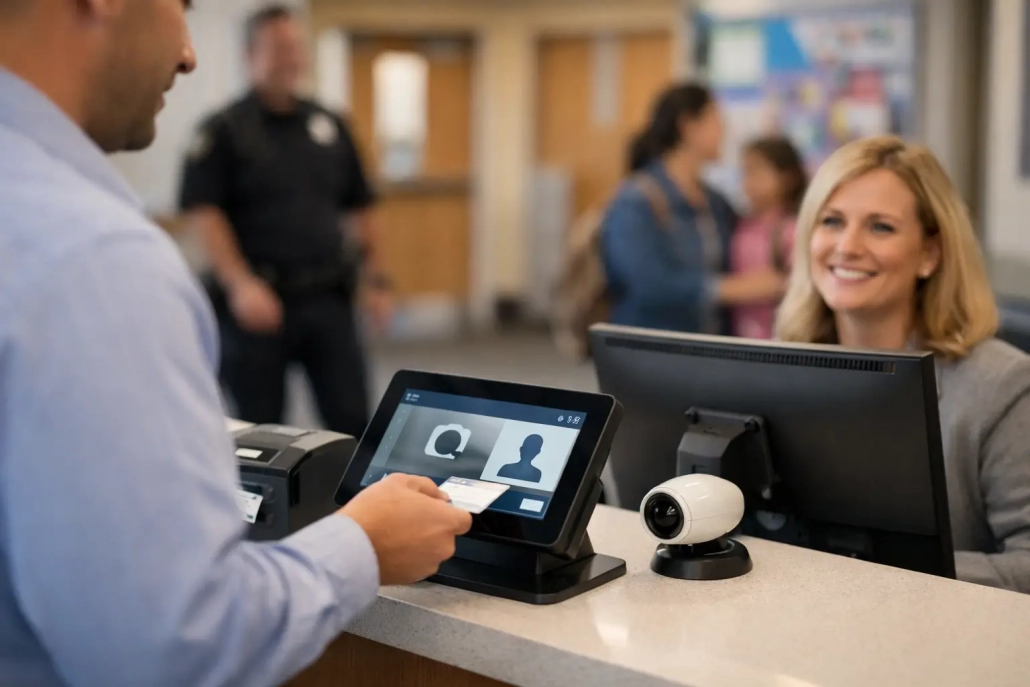
What a Secure School Check-In Platform Delivers
The first 20 minutes of the school day can determine how smoothly the rest of the day runs. Students arrive through multiple entrances, buses run late, families need answers, and staff must quickly identify who is present, tardy, absent, or not where they are expected to be. A secure school check-in platform gives school teams a reliable way to turn that busy arrival window into real-time accountability.
For K-12 leaders, check-in is not simply an attendance task. It is a campus safety, compliance, communication, and operational issue. The right system helps staff document arrivals accurately, monitor movement throughout the day, and act on reliable information rather than paper slips, delayed spreadsheets, or verbal reports.
Why Check-In Has Become a Campus Accountability Issue
Traditional attendance processes were built for a different pace of school operations. A teacher may take attendance after the bell, while the front office manages late arrivals separately. A student leaving early may be recorded in one system, while a dean handling a hallway issue uses another. By the time information is consolidated, it may no longer reflect who is actually on campus.
That gap creates unnecessary risk. During a medical event, safety drill, evacuation, or parent inquiry, staff need current information. They need to know whether a student checked in late, was excused for an appointment, entered through an approved location, or moved to another supervised area.
A secure check-in process closes the gap between the moment an event occurs and the moment it becomes visible to the people responsible for student accountability. It also makes routine operations easier. Attendance offices spend less time correcting records, teachers have clearer student rosters, and administrators can spot tardiness patterns before they become larger attendance problems.
What a Secure School Check-In Platform Should Do
A strong platform must support the real conditions of a school day, not just record a timestamp. Students may arrive by bus, car, foot, or after an appointment. Staff may need to check in a student from a kiosk, front office workstation, mobile device, or classroom scanner. The system should make each approved workflow fast without weakening accountability.
Capture identity accurately and quickly
Barcode-based ID scanning is often one of the most practical ways to capture arrivals. A student presents an ID, staff scan it, and the system records the time, location, and attendance status. This reduces manual entry errors and keeps lines moving during high-volume periods.
However, scanning alone is not enough. Schools should be able to define what happens after a scan. A late student may receive a tardy record, a printed pass, a notice to report to a designated area, or a parent notification. A student returning from an appointment may need a different status and workflow. Configurable rules allow the platform to reflect the school’s actual policies rather than forcing staff to work around the software.
Show real-time status across campus
A useful check-in record must be visible when and where staff need it. Front office personnel, attendance teams, administrators, deans, and authorized safety staff should be working from current information. Delayed data entry weakens both daily decision-making and emergency accountability.
Real-time visibility also improves follow-up. If a student has not checked in, staff can investigate promptly. If a student arrives late repeatedly, attendance officers can identify the pattern and begin appropriate intervention. If a student checks out early, the record is available for reporting and family communication without a second round of manual documentation.
Connect attendance to student movement
A student’s presence at school is only one part of the accountability picture. Schools also need to understand movement between classrooms, offices, cafeterias, intervention spaces, and approved out-of-class locations.
An all-in-one platform can connect arrival records with classroom attendance, hall pass workflows, screening stations, and early dismissal processes. This is especially valuable in larger campuses where a student may be marked present in homeroom but later be unaccounted for during a transition. When systems work together, staff gain a clearer, more current view of the student day.
Protect data without slowing staff down
Security includes more than verifying who entered the building. Student attendance and movement data require appropriate access controls, permission levels, and reporting practices. A front office user may need to process tardies, while a district administrator may need aggregate reporting across schools. Those roles should not automatically carry the same access.
The best approach balances control with usability. If a system is too complicated, staff will create workarounds. If it is too open, data quality and privacy suffer. District IT teams should look for clear user roles, reliable audit trails, secure data handling, and workflows that support the daily responsibilities of each staff group.
Integration Is Where the Operational Value Grows
A check-in platform should not become another isolated database for school staff to maintain. When attendance data must be entered manually into a student information system after every arrival period, schools lose much of the time savings they expected.
SIS integration helps keep student rosters, identifiers, schedules, and attendance records aligned. It reduces duplicate entry and gives district teams greater confidence in the reports used for compliance, funding, intervention planning, and family outreach. The specific integration requirements will depend on the district’s SIS, policies, and reporting rules, but the goal is consistent: one dependable source of student information.
Integration also strengthens parent communication. When a student checks in late, an automated or staff-initiated notification can provide a timely record to the family. That does not replace thoughtful outreach when attendance concerns are complex, but it does prevent routine events from becoming avoidable phone calls and misunderstandings.
Choosing the Right Fit for Your School or District
There is no single check-in configuration that fits every K-12 environment. An elementary school may prioritize visitor procedures, front office arrivals, and early pickup documentation. A high school may need rapid tardy processing at multiple entrances, classroom scanning, hall pass management, and detailed reports for deans and attendance teams.
District scale matters as well. A single building may begin with barcode scanning at the main office. A multi-school district may require common procedures, centralized reporting, role-based access, mobile check-in tools, and support for different bell schedules or school-level policies. The platform should scale without requiring every school to abandon the workflows that make sense locally.
During evaluation, leaders should look beyond a feature checklist. Ask how quickly staff can learn the process during a busy morning. Ask what happens when a student has no ID, a scanner is unavailable, or a parent arrives for an early dismissal. Ask whether attendance corrections are traceable and whether the system can support both everyday operations and emergency accountability.
The answers reveal whether a platform is built for real schools or only for ideal workflows.
Implementation Should Start With the Arrival Experience
Successful deployments begin by mapping the student arrival experience. Identify entrances, staffing assignments, late-arrival procedures, approved check-in locations, exception handling, and the information each team needs to see. This creates a clear operating model before devices are placed or rules are configured.
Training should be role-specific. Front office staff need confidence processing late arrivals and early dismissals. Teachers need a simple way to verify attendance. Administrators need access to actionable reports rather than an overload of raw data. District IT teams need clarity on integrations, user management, and support processes.
SwipeK12 Solutions supports this practical approach by combining attendance capture, student movement tracking, notifications, and reporting into one flexible platform. The result is not just faster check-in. It is a more accountable school day with fewer disconnected processes.
Make Check-In Information Actionable
The value of a secure school check-in platform is measured in the decisions it improves. Reliable arrival data can help identify transportation issues, recurring tardiness, attendance intervention needs, and bottlenecks at specific entrances. Over time, schools can use those patterns to adjust supervision, communicate with families earlier, and improve the student experience without adding administrative burden.
Start with the points in the day where visibility is weakest. A well-designed check-in workflow can give staff the current information they need to respond with confidence, while keeping students moving toward class, learning, and a more organized school day.


Leave a Reply
Want to join the discussion?Feel free to contribute!