
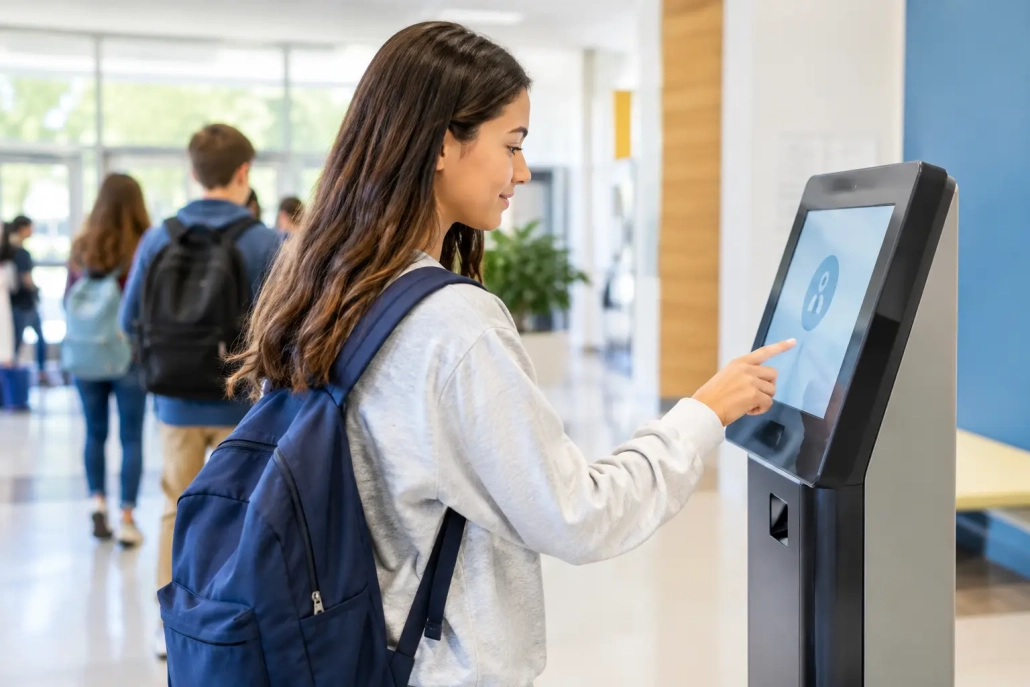
Attendance Kiosk Review for K-12 Schools
The morning bell is not the time to discover that a line of late students is forming outside the main office, attendance corrections are piling up, and staff cannot confirm who has entered the building. An effective attendance kiosk changes that equation. This attendance kiosk review looks at what K-12 leaders should expect from a kiosk system, where the operational gains are real, and which details determine whether a deployment helps staff or creates another process to manage.
For schools, an attendance kiosk is more than a screen at the front door. It is a controlled point of entry that documents student arrival, captures a tardy reason when needed, applies school rules consistently, and sends accurate information into the systems staff already use. The strongest solutions turn a daily bottleneck into a reliable accountability workflow.
What an Attendance Kiosk Should Solve
A school should not buy a kiosk simply to replace a paper sign-in sheet. The right system should reduce the number of manual decisions required during a busy arrival period. Students scan an ID card, barcode, or other approved credential, and the system records the time, identifies the student, and applies the appropriate attendance status based on the school schedule and configured rules.
That sounds straightforward, but the operating conditions matter. A late-arrival workflow may need to distinguish between a bus delay, medical appointment, excused tardy, unexcused tardy, and a student who has already been checked in by a staff member. A kiosk that only records a timestamp shifts the rest of that work back to the attendance office. A system designed for K-12 operations gives staff meaningful options without forcing them to sort through incomplete records later.
Speed is equally important. If students must wait through multiple screens, search for their names, or ask for help when a barcode will not scan, the school has moved the line rather than eliminated it. The best experience is fast enough for high-volume arrivals while still allowing staff to intervene when an exception requires attention.
Attendance Kiosk Review: The Criteria That Matter
School leaders evaluating kiosk solutions should begin with the daily workflow, not a feature checklist. Ask what happens from the moment a student approaches the device through the moment the attendance record appears in the student information system. If the answer includes paper notes, duplicate data entry, or delayed uploads, the process has gaps.
Accurate, real-time attendance capture
A kiosk should capture attendance in real time and apply clear, configurable rules. Administrators need to know whether a student is early, on time, late, or arriving after a designated cutoff. Attendance staff need records they can trust without spending the first hour of the day reconciling data.
Real-time status is especially valuable when students arrive through multiple entrances or when large campuses use different attendance points. A centralized dashboard can give office teams and school leaders a current view of late arrivals, unresolved exceptions, and patterns that require follow-up.
Accuracy also depends on identity verification. Barcode-based scanning is familiar to students, fast to train, and practical for schools that already issue student IDs. Some campuses may need additional options for students who forget a card, but manual lookup should be the exception, not the main workflow.
SIS integration that removes duplicate work
Integration is one of the clearest separators between a useful kiosk and an isolated device. Student rosters, schedules, attendance codes, and demographic data should align with the district’s student information system. Attendance transactions should return to the SIS promptly and reliably.
District IT teams should ask direct questions: How often does data sync? What happens if the network is temporarily unavailable? Can the system recognize schedule changes, transfers, or newly enrolled students without a manual import? Who monitors failed transactions, and how are they resolved?
A kiosk can appear successful in the lobby while creating hidden reconciliation work for the attendance team. The better choice is an all-in-one platform that treats the kiosk as part of the district’s broader attendance and accountability process, not as a standalone tool.
Configurable tardy and consequence workflows
Every school handles tardiness differently. An elementary school may focus on quickly documenting arrivals and notifying the classroom. A high school may need to assign lunch detention, issue a pass, notify an administrator, or trigger a parent communication after repeated tardies.
The system should support the policies the school already uses, while giving leaders room to adjust them as outcomes are reviewed. That may include grace periods, escalating consequences, reason codes, staff approval queues, and exemptions for approved transportation disruptions.
Automation should be thoughtful. Automatically assigning a consequence can improve consistency, but schools still need a way to account for individual circumstances. A good workflow combines policy enforcement with staff oversight rather than treating every late arrival as identical.
Family communication and documentation
A complete attendance record is more useful when families receive timely, clear information. Depending on district policy, a kiosk platform may support notifications related to tardies, check-ins, or attendance concerns. This can reduce inbound calls to the front office and give parents a chance to address a pattern before it grows.
Documentation also matters when attendance staff need to respond to questions from families, counselors, principals, or district offices. Look for reports that show arrival time, status, reason, action taken, and any communication sent. Records should be easy to retrieve without requiring staff to search through separate spreadsheets or paper logs.
Security, reliability, and staff control
A kiosk is part of the school’s operational infrastructure. It needs role-based access so that the right staff can correct records, adjust settings, and view reports without giving every user administrative permissions. Student-facing screens should display only the information needed to complete the check-in.
Reliability deserves close attention as well. Morning arrival is not forgiving of long outages or slow support response. Leaders should understand the device requirements, network dependencies, backup procedures, software update process, and support model before implementation.
A capable vendor should also help the school plan for physical placement. The best location balances visibility, supervision, accessibility, and traffic flow. In some buildings, one kiosk at the main entrance is enough. In others, multiple stations near bus drop-off, grade-level entrances, or the attendance office will prevent crowding.
Where Kiosks Deliver the Strongest Results
Attendance kiosks tend to deliver the most immediate value in schools with heavy morning traffic, frequent tardy processing, or limited front-office staffing. They are also effective when attendance data arrives too late for administrators to act during the school day.
The value is not limited to high schools. Middle schools can use a kiosk to create a more consistent arrival process as students transition to independent movement. Elementary campuses can use it to document late arrivals while keeping office staff available for families, visitors, and student needs.
For districts, standardizing the workflow across schools can improve reporting and policy consistency. Still, standardization should not mean ignoring building-level realities. A rural school with one entrance may need a simple configuration. A large urban high school may need several devices, defined exception paths, and reporting by grade level or arrival location. The platform should scale without forcing both schools into the same operational model.
Questions to Ask During a Demonstration
A product demonstration should follow a real school-day scenario, not a polished feature tour. Ask the vendor to show a student arriving late, selecting a reason, receiving any applicable pass or instruction, and having the record appear in the SIS. Then ask what happens when the student has no ID, arrives on a modified schedule, or has a transportation-related exception.
Also ask how office staff correct an error, how administrators review repeat tardies, and how reports are exported or shared. If the solution includes notifications or consequences, request a walkthrough of those rules from setup through delivery. These details reveal whether the system will reduce workload after launch.
Support should be part of the evaluation, not an afterthought. Schools need a responsive partner during configuration, staff training, the first weeks of implementation, and future policy changes. SwipeK12 Solutions is built around this operational reality, combining real-time attendance capture with student tracking, accountability workflows, and implementation support that can adapt to a single building or a districtwide rollout.
The Trade-Offs to Consider
A kiosk is not a substitute for clear attendance policies, trained staff, or supervised entry points. It works best when the school has already decided which attendance codes, exceptions, and follow-up actions apply. Technology can enforce a confusing policy consistently, but it cannot make that policy easier for staff or families to understand.
There is also a balance between self-service and oversight. A fully self-service setup can move students through quickly, but schools with frequent exceptions may benefit from a staff member nearby during peak arrival times. Similarly, a simple kiosk may cost less upfront, yet a more integrated solution can save substantially more staff time by removing manual entry, reporting delays, and follow-up work.
The most productive purchase decision starts with a walk-through of your actual morning arrival process. Map the lines, exceptions, staff handoffs, and reporting tasks that happen now. Then choose the attendance kiosk that gives your team a faster, clearer way to account for every student who walks through the door.


Leave a Reply
Want to join the discussion?Feel free to contribute!