
Hall Pass Management Software Review for K-12
A student leaving class is not automatically a safety concern. A student whose location, destination, departure time, and return status cannot be confirmed quickly is. That distinction is why a hall pass management software review should focus on operational accountability rather than digital passes alone. Schools need a system that helps staff manage daily movement without adding another task that teachers will work around.
For K-12 leaders, the right platform creates a live, usable record of who is out of class and why. It gives deans, administrators, safety teams, and front-office staff the information they need to intervene early, investigate incidents accurately, and keep instruction moving. The wrong platform can create more screen time, inconsistent adoption, and incomplete data.
What Hall Pass Management Software Should Solve
Paper passes provide little real-time value. A handwritten slip can show that a student left a classroom, but it cannot reliably tell staff whether the student arrived at the intended destination, how long they have been out, whether they are repeatedly missing the same class, or whether they are in an area with restricted access.
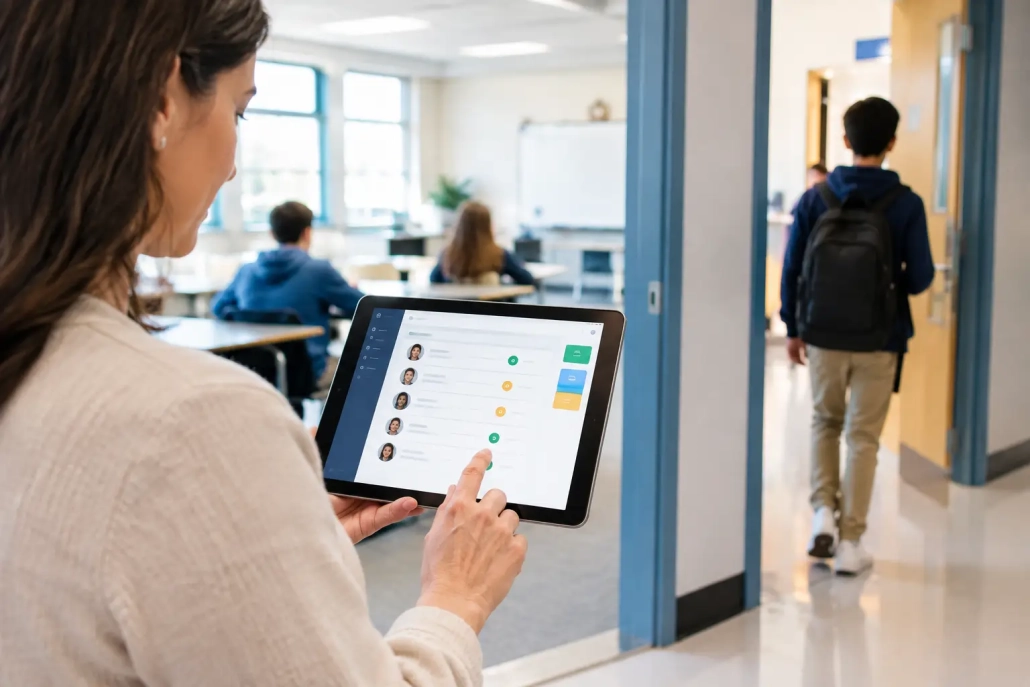
A well-designed digital hall pass system addresses those gaps. A teacher should be able to issue or approve a pass in seconds. The student’s pass should clearly identify the origin, destination, purpose, and active status. Authorized staff should be able to view active passes from a mobile device or workstation, without calling classrooms or searching through paper logs.
That real-time visibility supports several practical outcomes: fewer hallway disruptions, faster response to students who are overdue, better documentation for behavior conversations, and clearer evidence when a family asks why a student missed instructional time. It also reduces the burden on teachers, who should not have to become hallway traffic managers.
The strongest platforms recognize that every building runs differently. An elementary school may need simple teacher-controlled restroom and nurse passes. A high school may need destination limits, pass restrictions during transition periods, student accountability alerts, and reports that identify recurring patterns. District systems must accommodate both without forcing every campus into the same workflow.
Hall Pass Management Software Review: What to Evaluate
A product demonstration can make almost any digital pass look useful. The more meaningful question is whether the system will work at 10:40 a.m. on a busy Tuesday, when teachers are teaching, students are moving, and administrators need immediate answers.
Real-time visibility, not delayed records
Start with the live view. Can an administrator see active passes by student, classroom, destination, grade level, or time out of class? Can a staff member quickly confirm whether a student has permission to be in the hallway? Does the screen clearly surface overdue passes rather than burying them in a report?
Real-time information matters most during the moments schools cannot predict. A student may be overdue from the nurse, an incident may require locating specific students, or a dean may need to verify whether students from different classrooms are meeting repeatedly. If staff must wait for data to sync or sort through separate logs, the system is documenting the problem after the fact rather than helping manage it.
Ask vendors how alerts work. A useful alert is configurable, visible to the right role, and tied to an action. For example, an overdue notification should allow a designated staff member to see the student, the issuing teacher, the destination, and the duration of the pass immediately.
Teacher usability and adoption
No hall pass platform succeeds if issuing a pass takes longer than writing one. Teachers need a clear workflow that fits naturally into instruction, whether they are using a classroom computer, tablet, or mobile device. The process should require minimal clicks and avoid unnecessary student data entry.
Evaluate what happens when a teacher is covering another class, when substitutes are in the building, or when a device is temporarily unavailable. These are not edge cases. They are regular school-day conditions. A practical solution includes role-based access, easy substitute procedures, and fallback options that preserve accountability.
Student-facing use also requires careful consideration. Student self-request features can save teacher time, but they may not fit every grade level or campus culture. Some schools want teacher approval for every request. Others may allow selected students to initiate requests, with guardrails based on time, location, or prior behavior. The best choice depends on the building, not a generic feature checklist.
Rules that reflect school policy
A digital pass should enforce policies consistently while still giving authorized staff the flexibility to make sound decisions. Look for controls that can limit the number of students leaving a class, prevent passes during specified times, restrict access to particular destinations, and flag students with repeated or extended absences from class.
Schools should also ask whether the platform can identify concerning movement patterns. Repeated visits to the same location, excessive time out of a specific period, or frequent overlap between students may warrant review. These insights should support fair, informed interventions, not automatic assumptions about student behavior.
Policy controls should be configurable by school, grade band, or user role. A district that serves elementary, middle, and high schools will rarely benefit from one universal rule set. Flexibility is valuable only when it remains easy to manage, so confirm who can make changes and how quickly updates take effect.
Integration with attendance and student information systems
Hall pass data becomes far more valuable when it connects to the systems a school already uses. Student names, schedules, enrollment status, staff assignments, and attendance records should not require constant manual updates. Integration reduces duplicate work and lowers the risk of inaccurate records.
For district technology teams, the key review questions are straightforward: Which SIS platforms are supported? How is data exchanged? How often does synchronization occur? Can the vendor support single sign-on, role-based permissions, and district security requirements? What happens when a student changes schedules or transfers schools?
The operational benefit is equally important. When hall pass activity, tardiness, attendance, and campus check-in information can be reviewed together, leaders gain a fuller picture of student engagement and movement. A student who is repeatedly marked tardy, absent from class, and overdue on passes may need support that no single data point would reveal.
Reporting that leads to action
Reports should answer questions that staff actually ask. Which students are out of class most often? Which destinations have the highest traffic? Which periods experience the most overdue passes? Are patterns concentrated by grade, teacher, time of day, or location?
A good platform makes those answers accessible without requiring a data specialist. Administrators should be able to review trends at the building level, while teachers and deans see only the information relevant to their roles. Exportable records are useful for discipline documentation, parent meetings, and internal reviews, but the live dashboard should remain the primary tool for daily operations.
Be cautious with systems that promise extensive analytics but make basic reports difficult to generate. Data only helps when staff can understand it, trust it, and act on it.
Trade-Offs to Consider Before You Buy
There is no single best implementation for every K-12 school. A lightweight app may be appropriate for a small campus that needs basic digital records and has limited technology resources. A larger secondary campus may require barcode scanning, mobile monitoring, automated alerts, and integration with attendance workflows.
More controls can improve accountability, but too many restrictions can create friction for teachers and students with legitimate needs. Schools should define the problems they are trying to solve before selecting settings. If the primary concern is unauthorized hallway movement, real-time active-pass visibility may be the priority. If the concern is chronic loss of instructional time, reporting and intervention workflows may matter more.
Hardware is another practical consideration. Some schools prefer student IDs and barcode scanning because it creates a fast, consistent transaction at destinations. Others need browser-based or mobile workflows that work with existing devices. A vendor should be able to recommend an approach based on building layout, staffing, student age, connectivity, and budget rather than pushing a one-size-fits-all deployment.
Questions to Ask During a Vendor Review
Bring the people who will use the system every day into the evaluation process. An IT director can assess integration and security, but teachers, attendance staff, deans, and campus monitors will identify workflow issues that are easy to miss in a sales presentation.
Ask vendors to demonstrate these scenarios in real time:
- A teacher issues a pass while actively teaching a class.
- A staff member identifies every student currently overdue from a destination.
- An administrator investigates repeated out-of-class time for one student.
- A school updates a rule for a specific grade level or campus.
- A district generates a report that combines movement data with attendance context.
Also ask about implementation support, training, response times, data ownership, and ongoing configuration assistance. Software features matter, but support quality often determines whether a new process becomes part of the school day or fades after the first semester.
Make Hall Pass Data Part of Campus Accountability
The most effective hall pass programs do not operate as isolated hallway tools. They are part of a broader accountability strategy that includes attendance capture, tardy management, visitor awareness, parent communication, and clear school procedures. When these processes work together, staff spend less time tracking down information and more time supporting students.
SwipeK12 Solutions takes this all-in-one approach by connecting student movement workflows with attendance and campus accountability tools built for real school operations. For schools evaluating a new system, the goal is not simply to replace paper passes. It is to give staff timely information, consistent processes, and the confidence to act when a student needs attention.
Choose the platform that makes accountability easier at the classroom level and more visible at the leadership level. When the workflow works for the people using it, safer and more orderly student movement becomes a daily standard, not a manual chase.

Leave a Reply
Want to join the discussion?Feel free to contribute!