
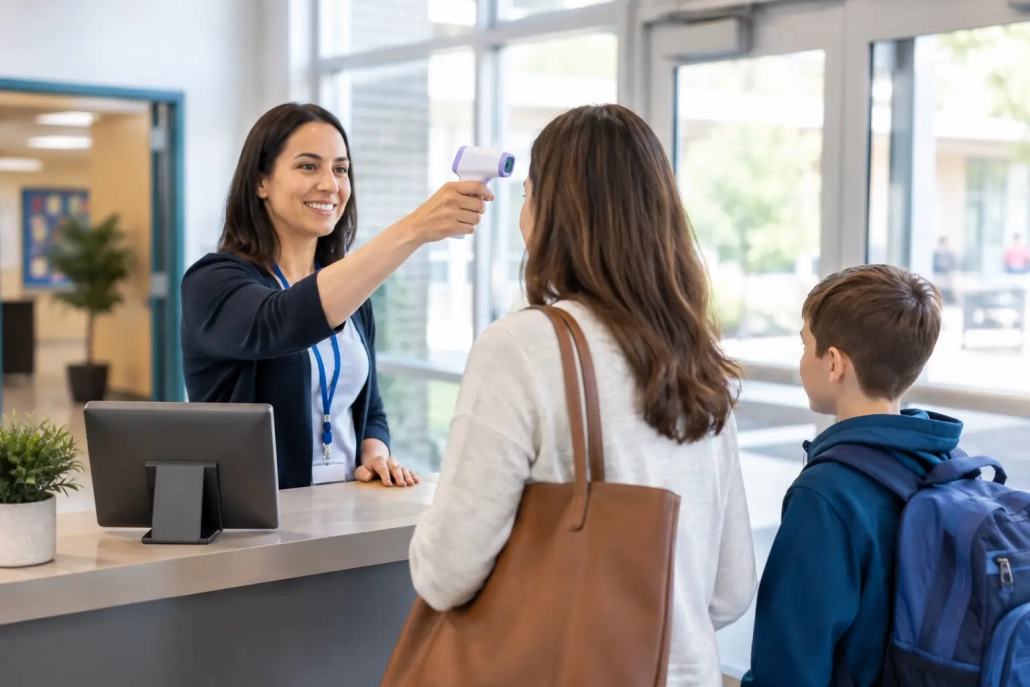
Visitor Screening That Works for K-12 Schools
The front office can change from calm to crowded in minutes: late arrivals, volunteers, contractors, parents, delivery drivers, and prospective families may all arrive before first period ends. Effective visitor screening gives staff a fast, consistent way to identify who is entering the building, why they are there, and whether they should be allowed beyond the front office.
For K-12 leaders, this is not simply a sign-in task. It is a campus accountability process that supports student safety, protects instructional time, and creates reliable records when questions arise. The best approach fits the pace of a real school day – not an idealized workflow that falls apart during morning arrival or a school event.
Why Visitor Screening Matters on Every Campus
A paper logbook records only what a visitor chooses to write, often in handwriting that is hard to read and even harder to search. Staff still need to decide whether the person is expected, determine where they are going, issue identification, and document when they leave. When the lobby is busy, those steps can become inconsistent.
A digital visitor screening process brings structure to that moment. It can capture a visitor’s name, photo identification, purpose, destination, arrival time, badge information, and checkout time in one record. Depending on district policy and system configuration, staff may also screen visitors against approved watchlists or other safety criteria before granting access.
That record has value well beyond the front desk. Administrators can quickly see who is currently on campus. School safety teams can account for non-students during an incident. Office staff can respond to a parent question with accurate arrival and departure details rather than searching through pages of handwritten entries.
Consistency also matters for the school community. Families and volunteers should experience a process that is professional and respectful, while staff should not have to make judgment calls without the right information. Clear screening standards help schools apply the same expectations to every visitor.
What an Effective Visitor Screening Workflow Looks Like
The strongest workflows are simple enough for a substitute office assistant to follow and detailed enough to support district-level accountability. They begin before a visitor reaches the building.
Schools should define who may enter, what identification is required, where visitors may go, and which types of visits require advance approval. A parent attending a scheduled conference, a contractor servicing equipment, and a volunteer helping in a classroom may all require different access rules. The process should reflect those differences without forcing staff to create workarounds.
At check-in, staff verify the visitor’s identity and purpose, enter or confirm the required details, and issue a visible badge that includes the date and destination when appropriate. The badge should make it easy for teachers and campus personnel to distinguish an approved visitor from someone who has not checked in.
At checkout, the school records that the visitor has left campus. This step is frequently overlooked, but it is essential. An incomplete visitor list can create confusion during a safety drill, emergency, or end-of-day review. A system that prompts or supports checkout gives administrators a more accurate real-time view of campus activity.
Design for peak traffic, not average traffic
A screening process may work perfectly at 11:00 a.m. and fail at 7:45 a.m. when dozens of people arrive at once. Schools should test their workflow during morning drop-off, large assemblies, athletic events, parent-teacher conferences, and election days when applicable.
Speed matters, but speed should not mean skipping verification. The goal is to reduce repetitive data entry, make routine visits easier to process, and give front-office staff a clear path when a record requires additional review. Pre-registration can help with planned events, while kiosk or staff-assisted check-in options can reduce lines for everyday visitors.
Connect Visitor Records to Campus Accountability
Visitor management should not operate as an isolated tool. School leaders need a complete operational picture that includes student attendance, tardies, hall movement, dismissals, and the adults authorized to be on campus. When these workflows are connected, staff spend less time reconciling information across paper forms, separate spreadsheets, and disconnected systems.
For example, a real-time dashboard can help an administrator confirm which visitors are checked in during a fire drill. A record of visitor activity can support a review of an incident near a classroom or restricted area. Integration with student information system workflows can also reduce duplicate data entry and keep key contact information aligned with district records.
The right level of integration depends on the district. A single school may need a straightforward front-office workflow with clear reporting. A large district may require centralized settings, school-level permissions, district-wide reporting, and consistent policies across dozens of campuses. In both cases, staff need technology that supports the way schools actually operate.
SwipeK12 Solutions helps schools bring visitor monitoring into an all-in-one accountability environment, so attendance, student movement, notifications, and campus activity can be managed with greater visibility and less administrative friction.
Balance Safety, Privacy, and Hospitality
Visitor screening is most effective when schools communicate the purpose clearly. Families should understand that identification checks and visible badges are standard safety practices, not a reflection of distrust. Contractors and community partners should receive instructions before arriving whenever possible, especially if they need additional clearance or must report to a specific entrance.
Privacy deserves the same attention as physical security. Schools should collect only the information needed for their established process, limit access to visitor data based on staff roles, and establish retention practices that align with district policy and applicable requirements. A visitor’s personal information should not be visible to other visitors standing at the front desk.
Schools also need procedures for exceptions. What happens when a visitor does not have identification? How should staff handle a parent who becomes frustrated with the check-in process? Who can approve access for a vendor who arrives unexpectedly? Written answers and staff training prevent the front office from becoming the weak point in an otherwise strong safety plan.
Common Gaps That Put the Process at Risk
Technology cannot fix unclear policy on its own. Schools should look closely for gaps that make visitor screening inconsistent or difficult to enforce. Four issues appear often:
- Visitors are asked to sign in but are not required to wear a visible badge.
- Staff record arrivals but do not consistently capture checkout times.
- Different entrances follow different rules, creating easy workarounds.
- Visitor reports are available only after staff manually sort through paper logs.
These gaps may seem small until the school needs an accurate answer quickly. A principal responding to a concern should be able to determine who entered, when they arrived, where they were expected to go, and whether they are still on campus. That level of accountability requires both a defined process and tools staff can use without delay.
Put the Right Ownership Around the Process
Visitor screening should be reviewed by more than the front office. School leaders set the expectations, safety personnel help define access protocols, IT teams assess system requirements, and office staff identify the real-world friction points. Teachers also need to know what an approved visitor badge looks like and what to do when they see someone without one.
A practical rollout starts with one building’s traffic patterns and policies, then expands based on what staff learn. Train for the common path first, but practice the exceptions: an unplanned early pickup, a vendor at the wrong door, a visitor with incomplete information, or a high-volume evening event. The process should be clear enough to hold up when the person who normally runs the front desk is absent.
Review the data regularly. If a school sees long check-in times, frequent missing checkout records, or repeated visits to the wrong entrance, that is useful operational feedback. Adjust staffing, signage, arrival instructions, or system settings before the issue becomes routine.
A well-run front entrance sends a clear message before a visitor reaches the hallway: this school knows who is on campus, respects every student’s learning environment, and has a process staff can rely on. Start with the next busy morning, watch where the workflow slows down, and build from there.


Leave a Reply
Want to join the discussion?Feel free to contribute!